Bringing QuickBooks reports into Excel, with 1 click sync
Overview
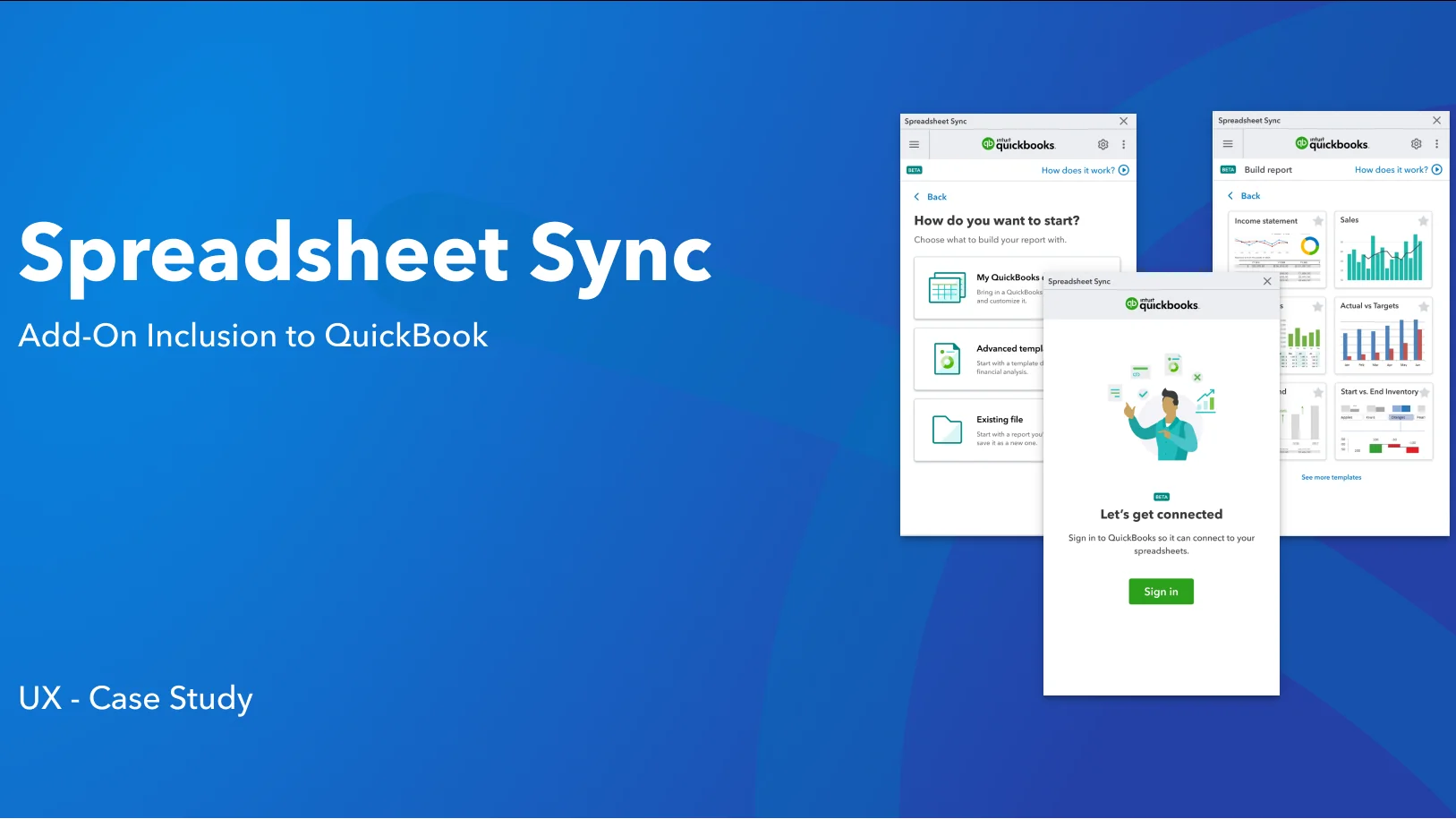
Spreadsheet Sync is an Excel add-in that talks to QuickBooks Online Advanced both ways. Accountants build reports from QuickBooks data, refresh them in one click, edit in bulk and post changes back.
My role
UX research and product design
Company
Intuit, QuickBooks
Platform
Excel add-in, B2B fintech
Impact overview
Workflow
1 click to refresh a report or post edits back to QuickBooks
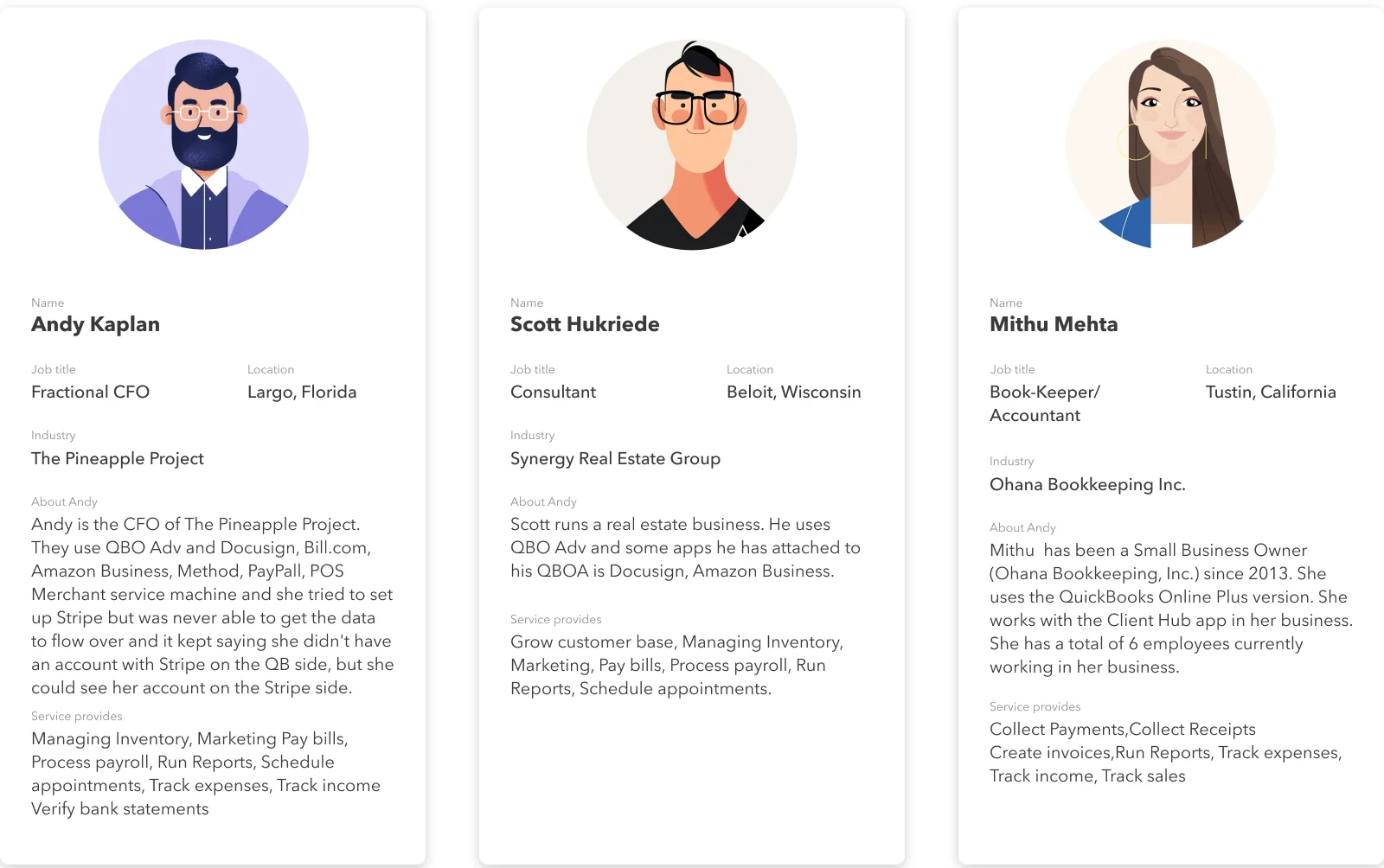
3 personas: a fractional CFO, a consultant and a bookkeeper
The 30 second version.
Summary
How I designed a two-way bridge between Excel and QuickBooks for finance teams.
Spreadsheet Sync builds reports and tables from QuickBooks data, refreshes them in one click, lets teams post and edit in bulk, and consolidates multiple companies, including multi-currency.
I worked through discovery, design and validation: research, competitor analysis, journey and flow maps, wireframes and the final prototype.
The challenge: make Spreadsheet Sync a reason to choose QuickBooks Online Advanced.
The challenge
Bigger companies with in-house accounting needed two things: file and list cleanups, and bulk edits of existing transactions. Smaller companies had few reasons to use a separate tool to work with data in Excel.
Some accountants already used tools with similar features that worked on every QuickBooks company file, so they didn’t see Spreadsheet Sync alone as a reason to upgrade to QuickBooks Online Advanced.
The goal: a reporting and data entry flow simple enough for any accountant, and strong enough for multi-company consolidation.
Research
I followed three phases: discovery, design and validation. In discovery I ran qualitative research to answer the how, why and what behind reporting problems, and built three personas from it.
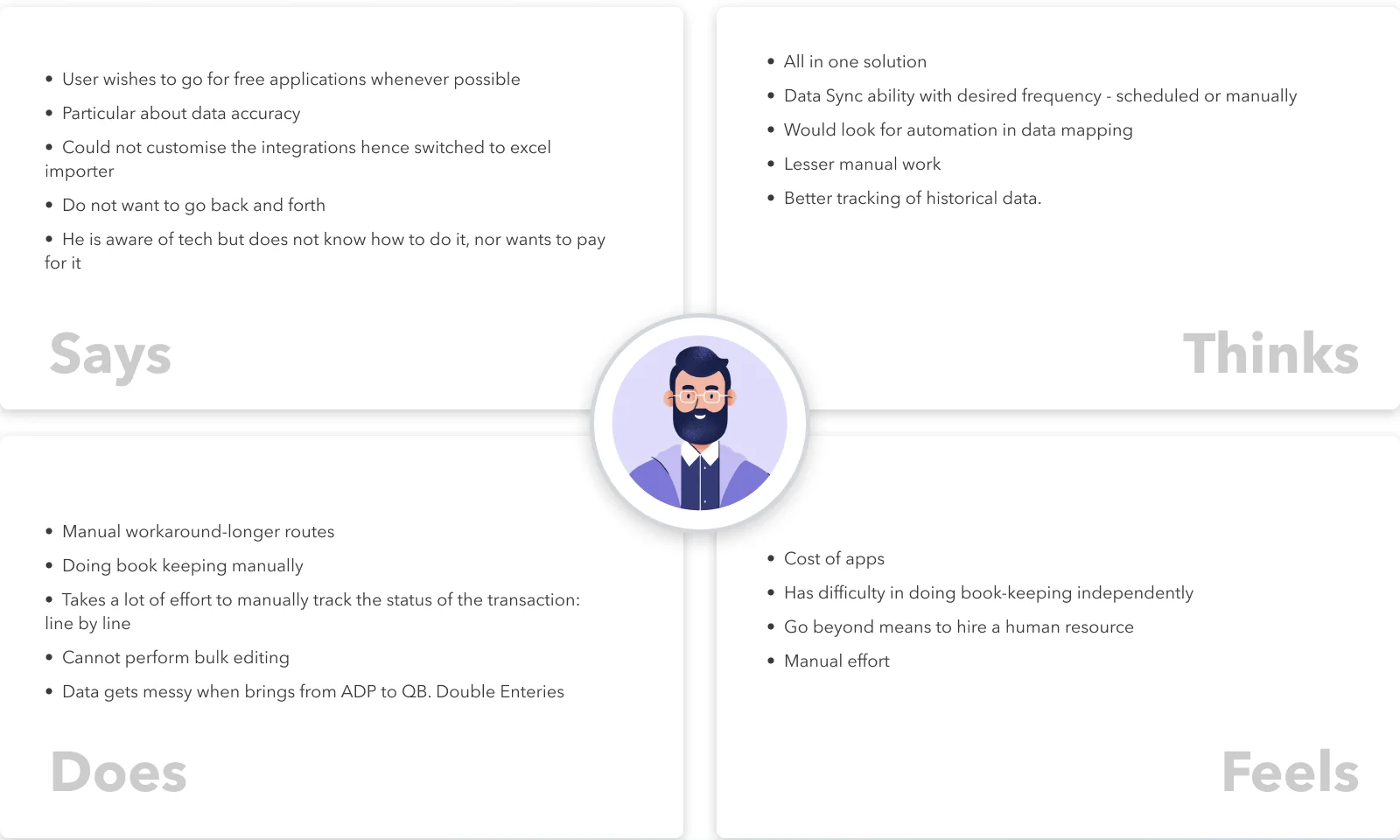
Empathy map for the fractional CFO
Key insights
Four quotes summed up the pain.
“I cannot consolidate entities and departments.”
“I cannot produce a management report easily.”
“I cannot close the books on time because it takes me so long to aggregate the data and create management reports.”
“I cannot access the data I need to help me make decisions.”
Market and ideas
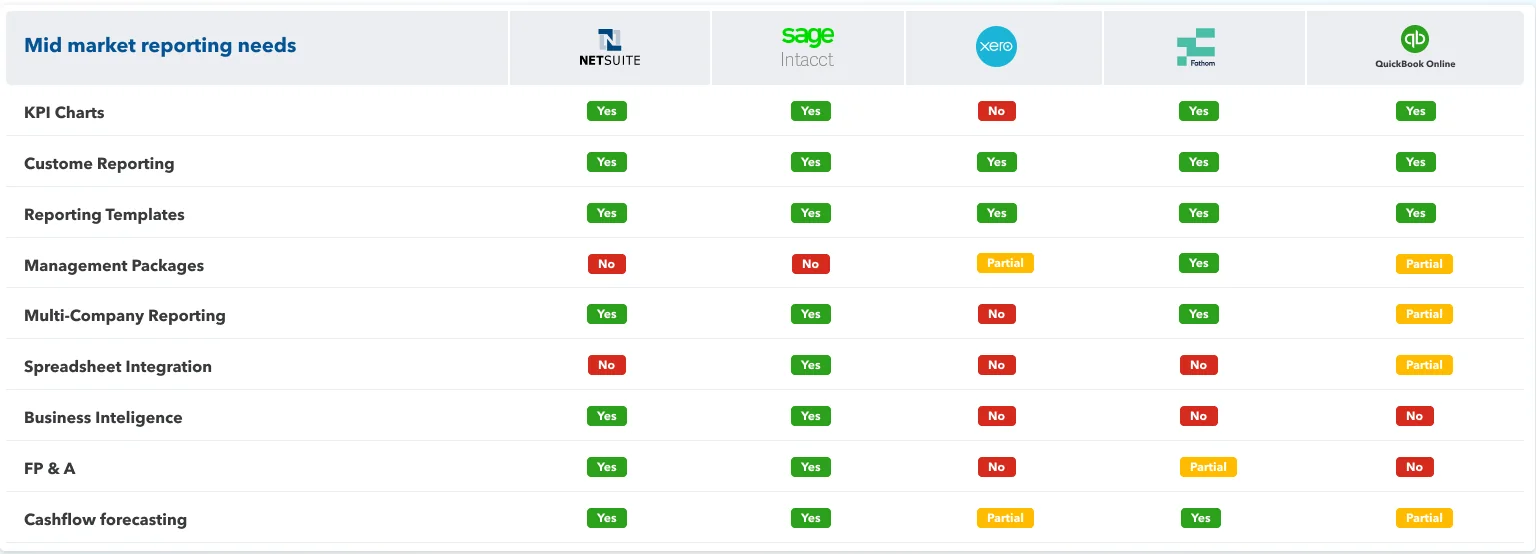
To win customers we had to understand their alternatives. I compared mid-market reporting needs across NetSuite, Sage Intacct, Xero, Fathom and QuickBooks Online. QuickBooks only partly covered management packages, multi-company reporting and spreadsheet integration, and had no business intelligence or FP&A.
Competitive landscape for mid-market reporting
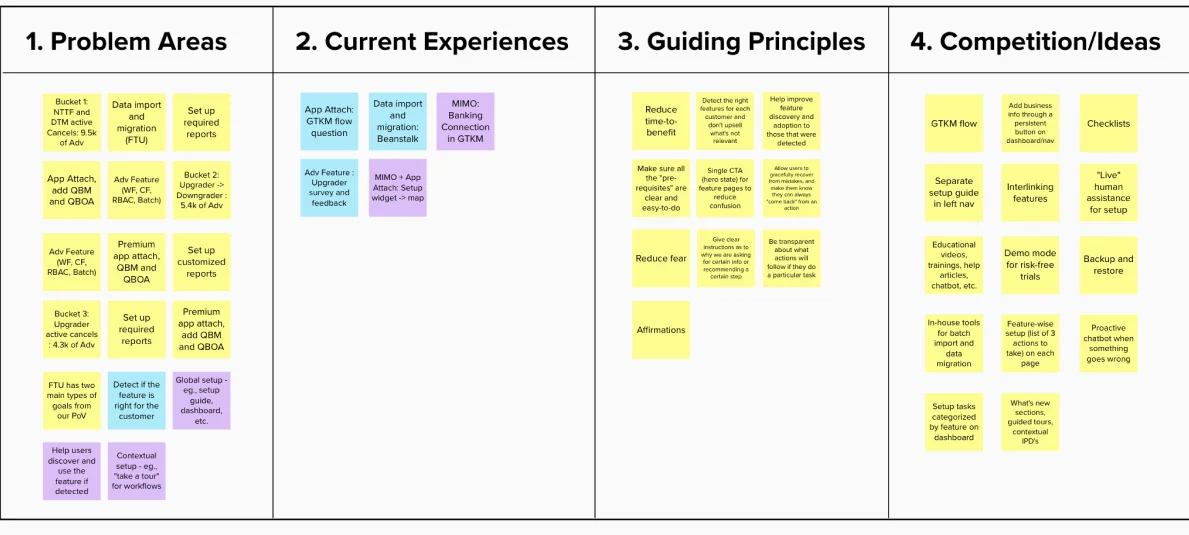
Brainstorm: problem areas, current experiences, guiding principles and ideas
Journey and flows
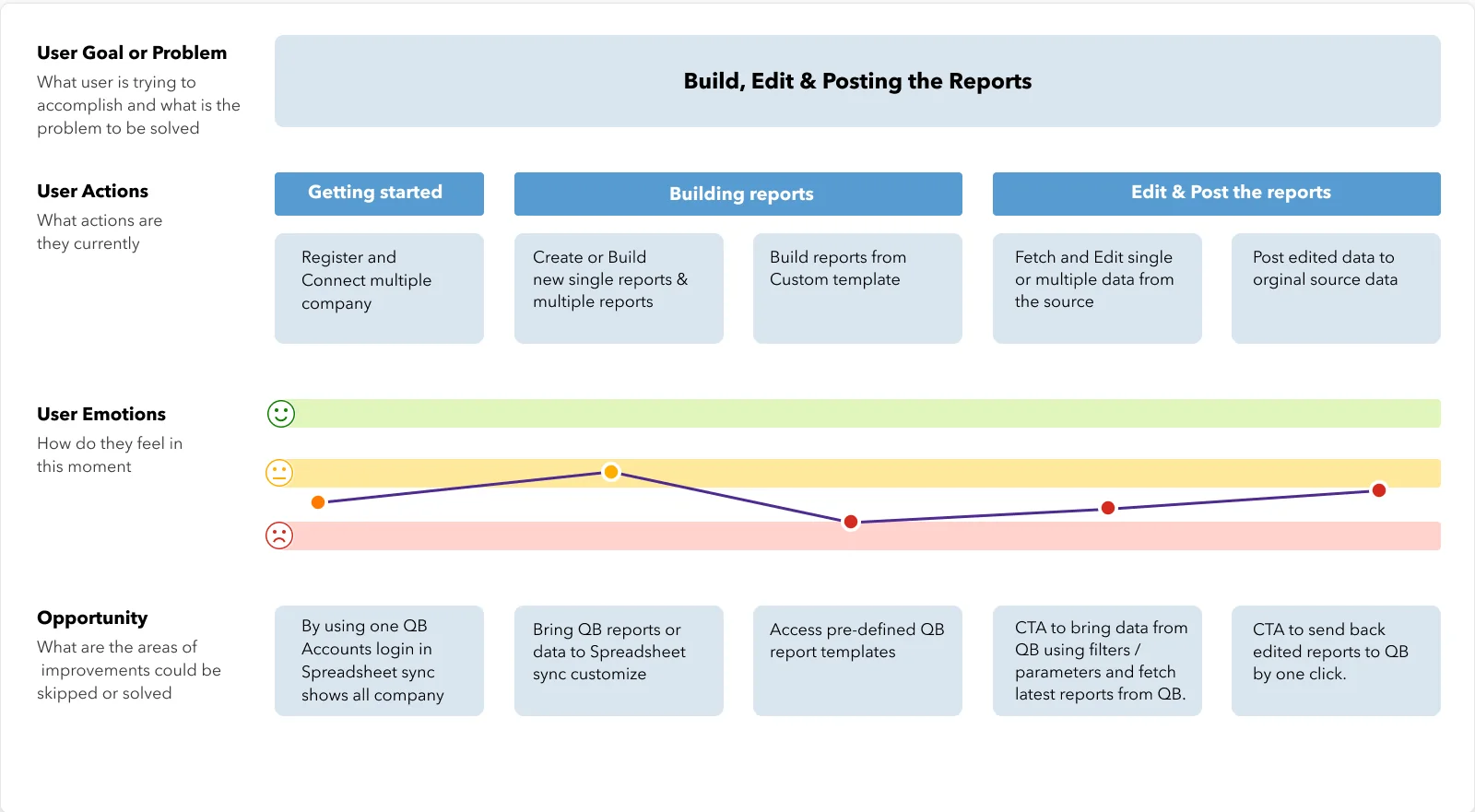
The journey had three stages: getting started, building reports, and editing and posting them back. Emotions dipped lowest when users built reports from custom templates, which pointed to the biggest opportunities: one login for all companies, pre-defined QuickBooks templates, filters to fetch the latest data, and a one-click way to send edits back.
User journey map
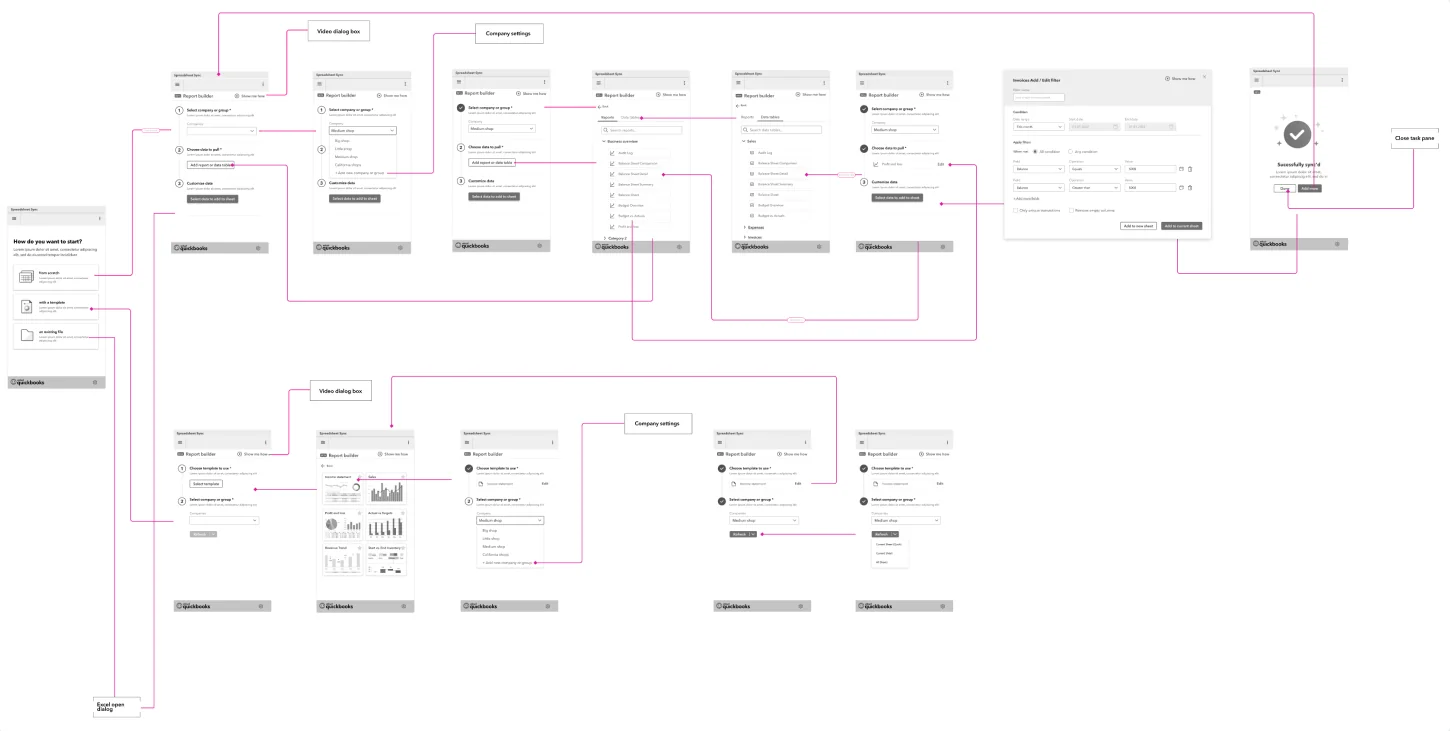
User flow map
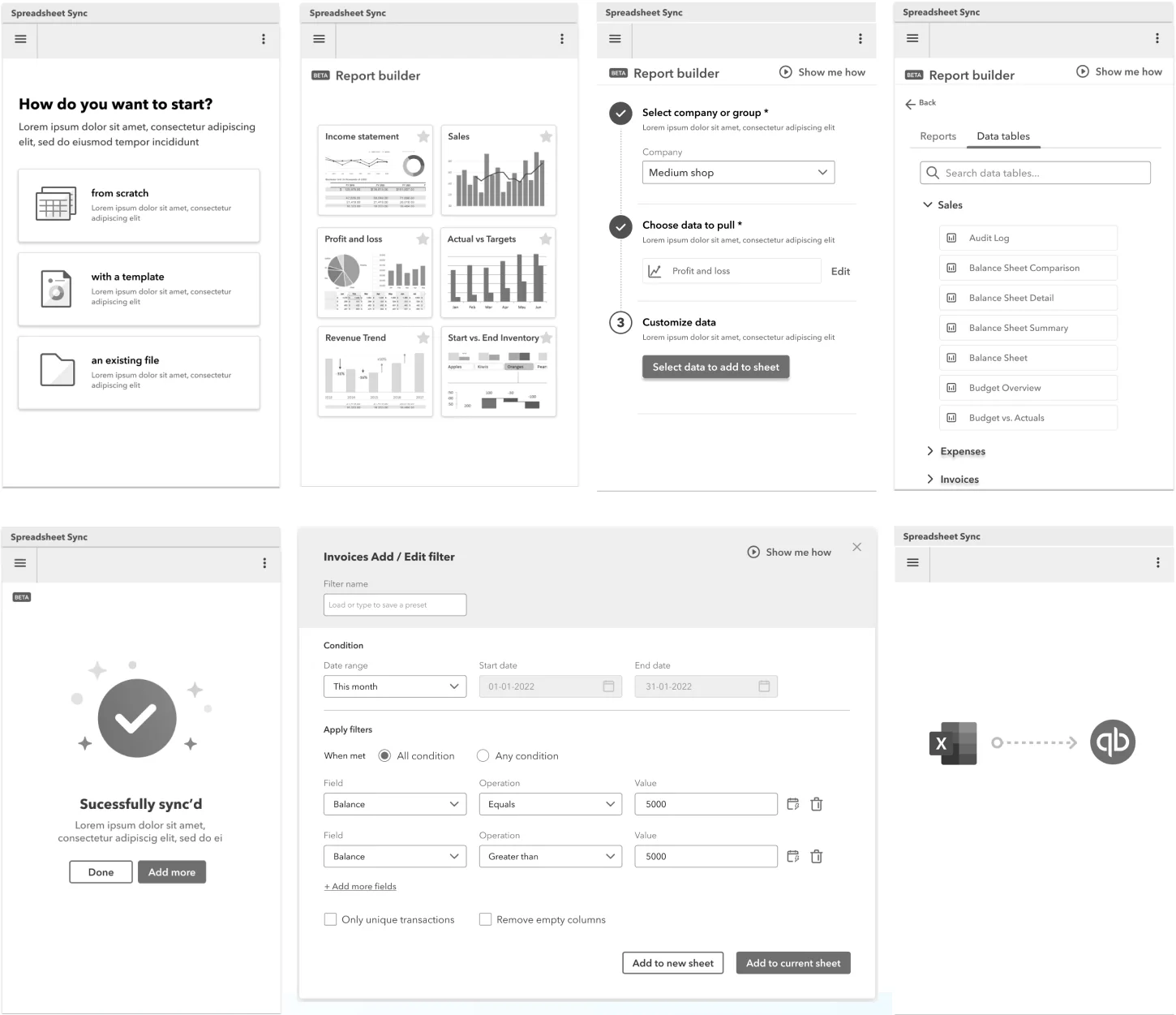
Wireframes
Final designs
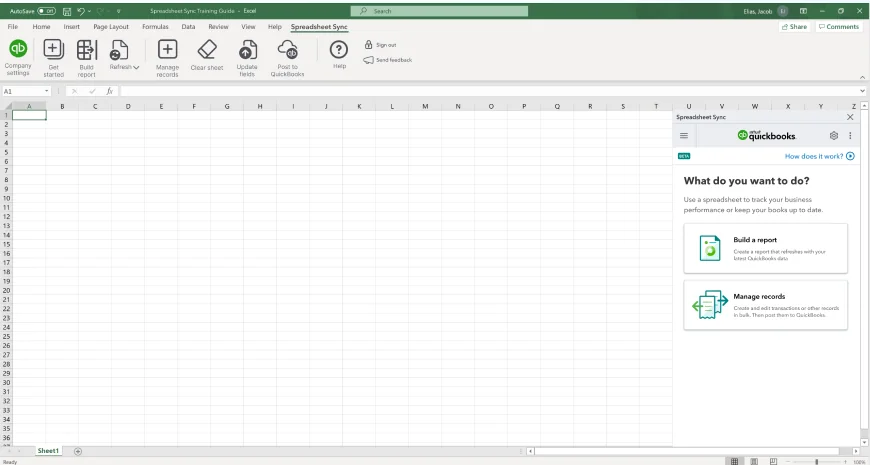
The final prototype lives inside Excel as a ribbon tab and a side panel.
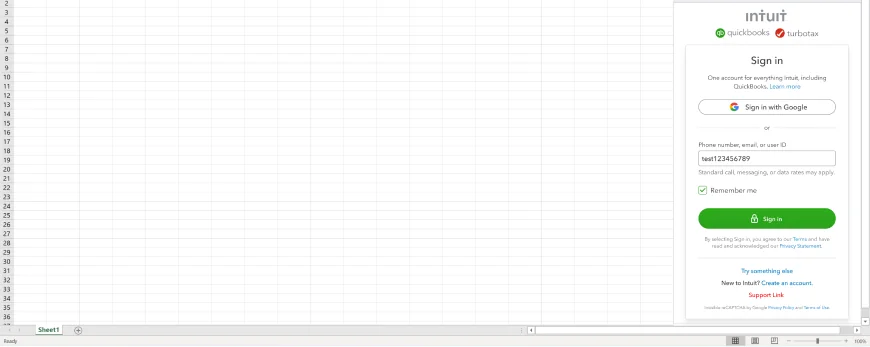
Sign in once with QuickBooks to reach every companyChoose the type of report to build
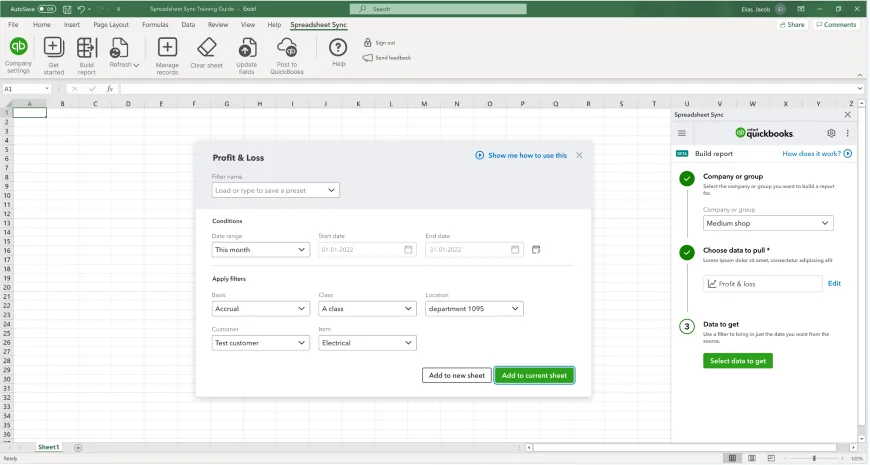
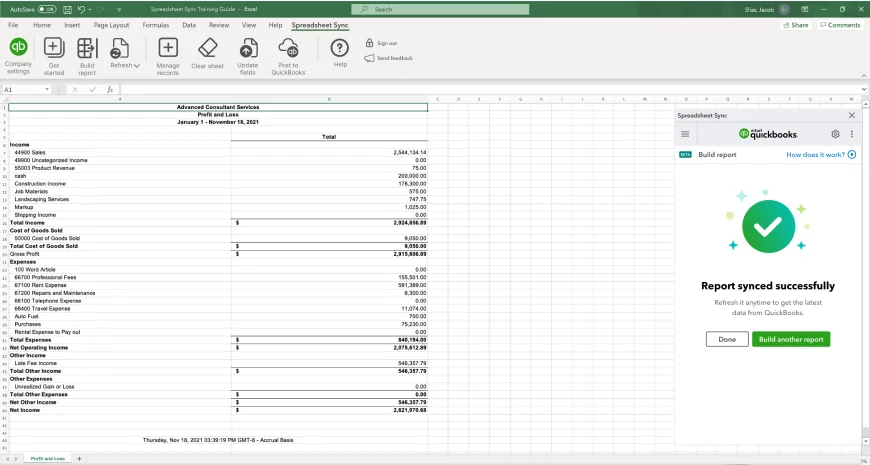
Pull data with filters, and save them as presetsSync edits back to QuickBooks and keep a log
Validation
Users liked what they saw. One said: “This is a cool feature and here we will get the actual custom report that we don’t get out of Quickbooks now.” Another, after editing a trial balance in Excel: “This is great, can I have it now?”
They also pushed back. Several said the tool should be available on every QuickBooks Online plan, not only Advanced, and that tying it to one plan would limit its use for firms that manage many smaller companies.
What I learned
A feature people love can still fail as an upgrade driver. Packaging is part of the experience.
Mapping emotions across the journey showed exactly where to focus: building reports from custom templates.
Comparing competitors need by need made the gaps, and the opportunity, easy to explain.
Further reading
The full case study, with every artefact, is on Behance.