IDI (Item Data Intake) is where Lowe’s merchants, analysts, specialists and vendors decide which items to bring in. I redesigned the legacy tool into a Merchant Platform with data-driven recommendations and full item visibility.
90% less time spent by merchants on vendor negotiation and item setup
Visibility
360° view of each item, from initiation to completion
Maintenance
Lower cost, effort and risk to build, change and maintain the app
The 30 second version.
Summary
How I turned an email and Excel driven process into one platform for awarding vendor items.
At Lowe’s, merchants, merch specialists, merch analysts and vendors work together to curate the assortment list: onboarding items that maximise profit margin and off-boarding the ones that don’t.
I researched how each group worked, defined the UX strategy and designed the new Merchant Platform, from the dashboard to bulk business awarding.
The challenge: give merchants visibility and speed without losing the checks behind every buying decision.
The challenge
Merchants and merchandising specialists had no visibility of the items vendors had started. They couldn’t award or reject items after a profitability check, or use that view to negotiate cost.
The whole process ran on emails and Excel sheets generated by an Alteryx process. Checking an item’s quality, reviews, ratings, competitive intelligence, DACI recommendations, channel and freight analysis and data quality score was all done by hand.
Business awarding was not the problem. The process around it was.
Research
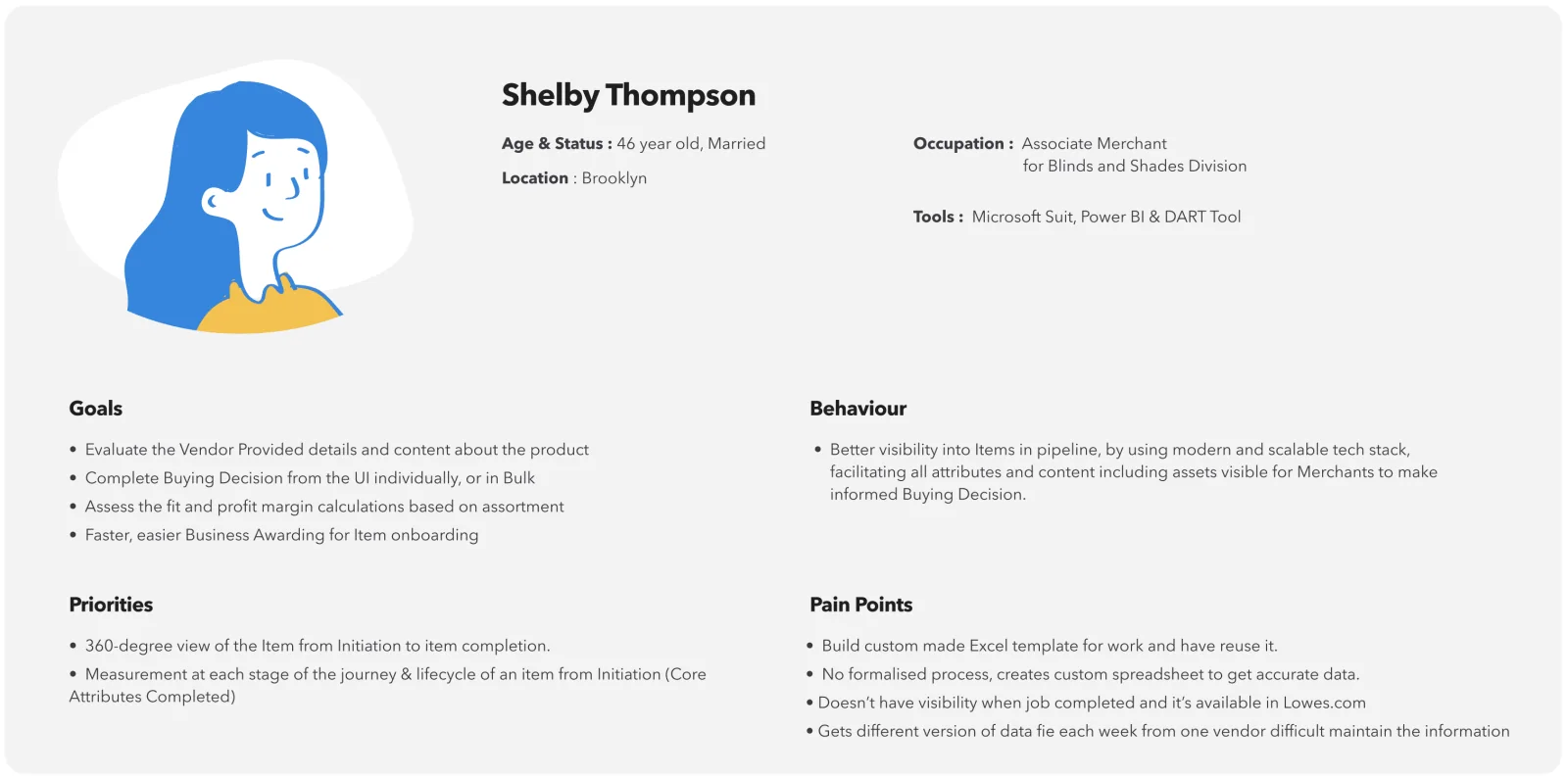
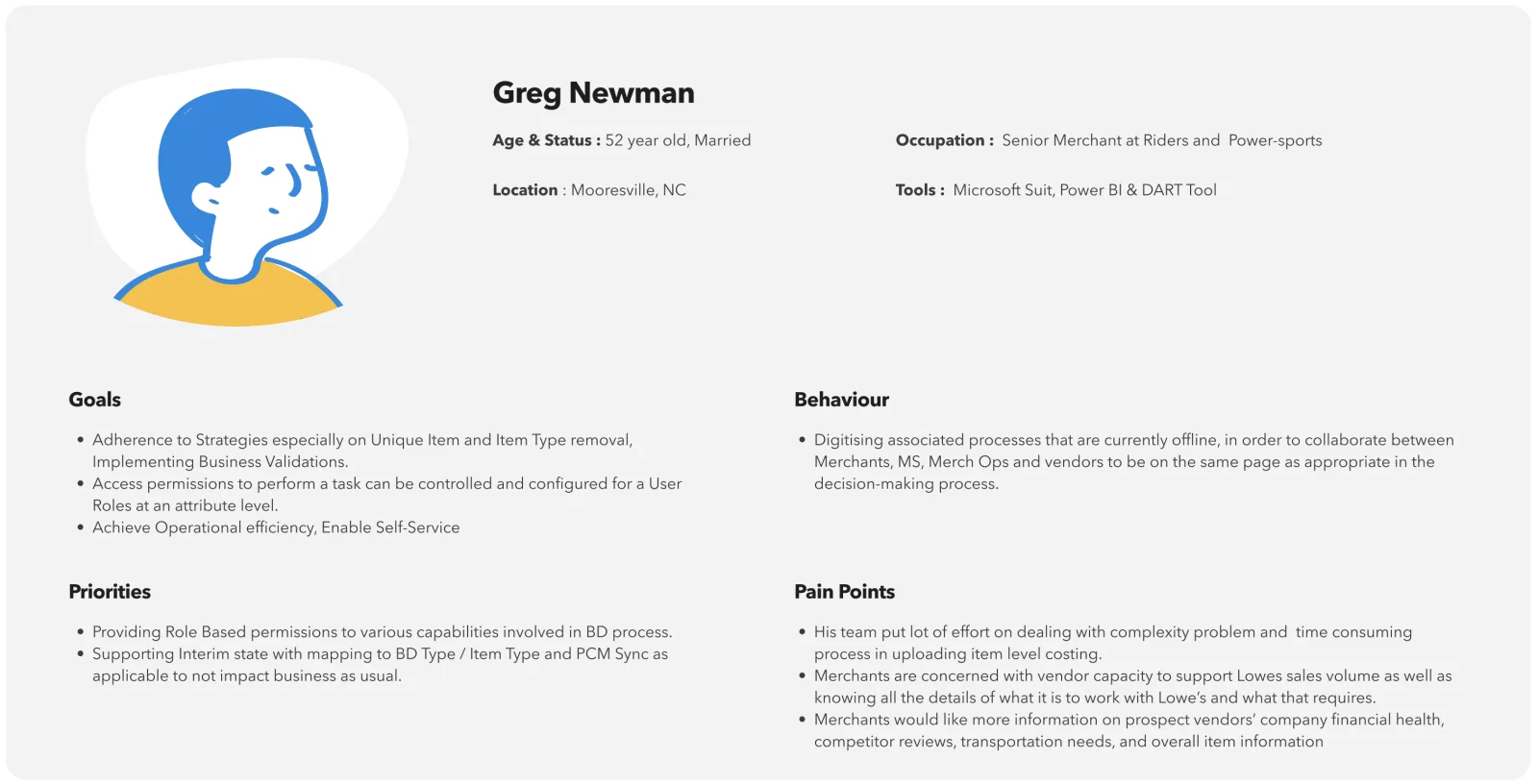
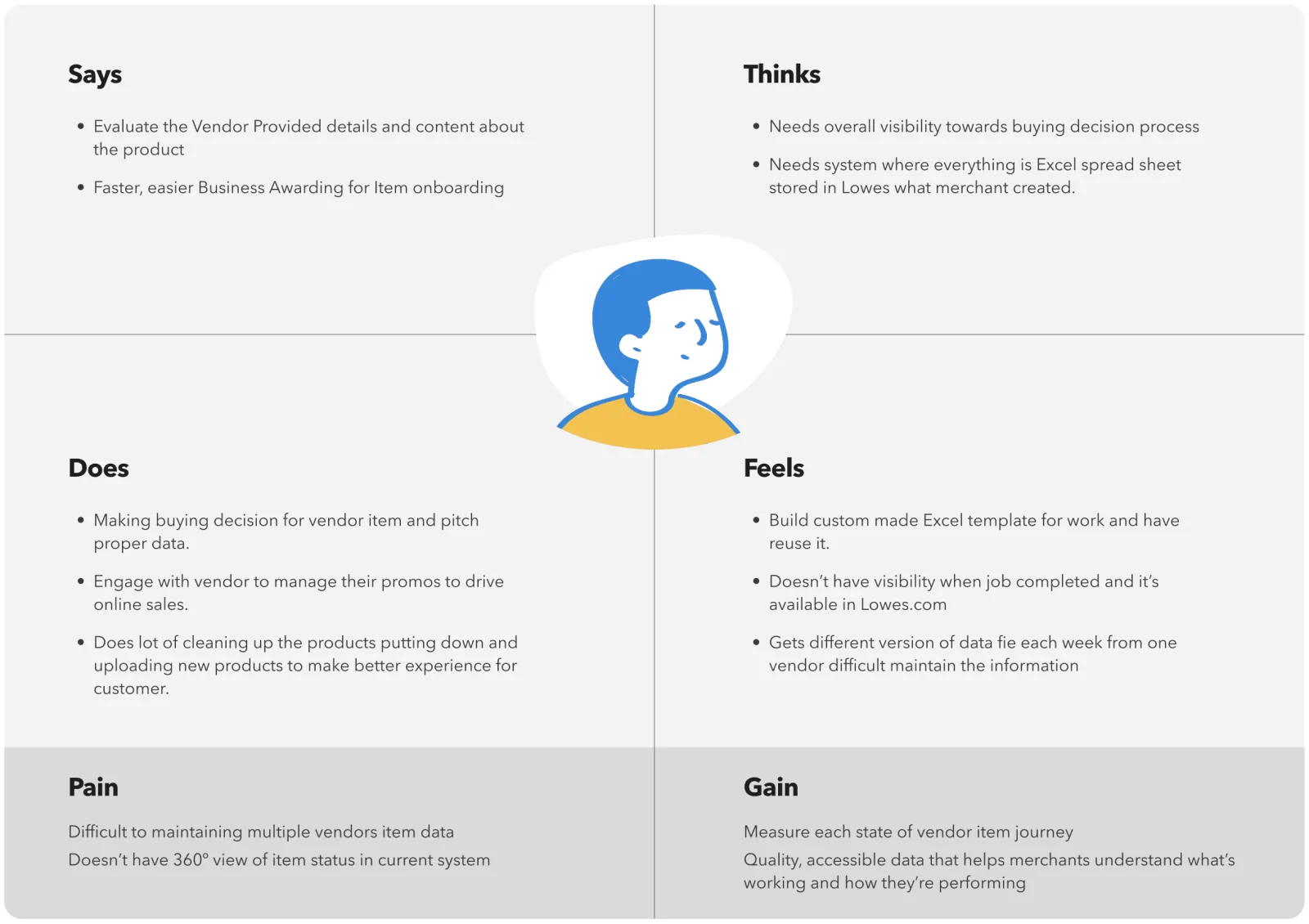
I interviewed merchants, merch analysts and merch specialists to understand the current process, the tools they used and how they handled similar problems. I synthesised the data into key problem areas, then turned it into personas and an empathy map to share with the team.
Persona: merchant analystPersona: senior merchant
Empathy map
Key insights
Every interview pointed back to the same gaps.
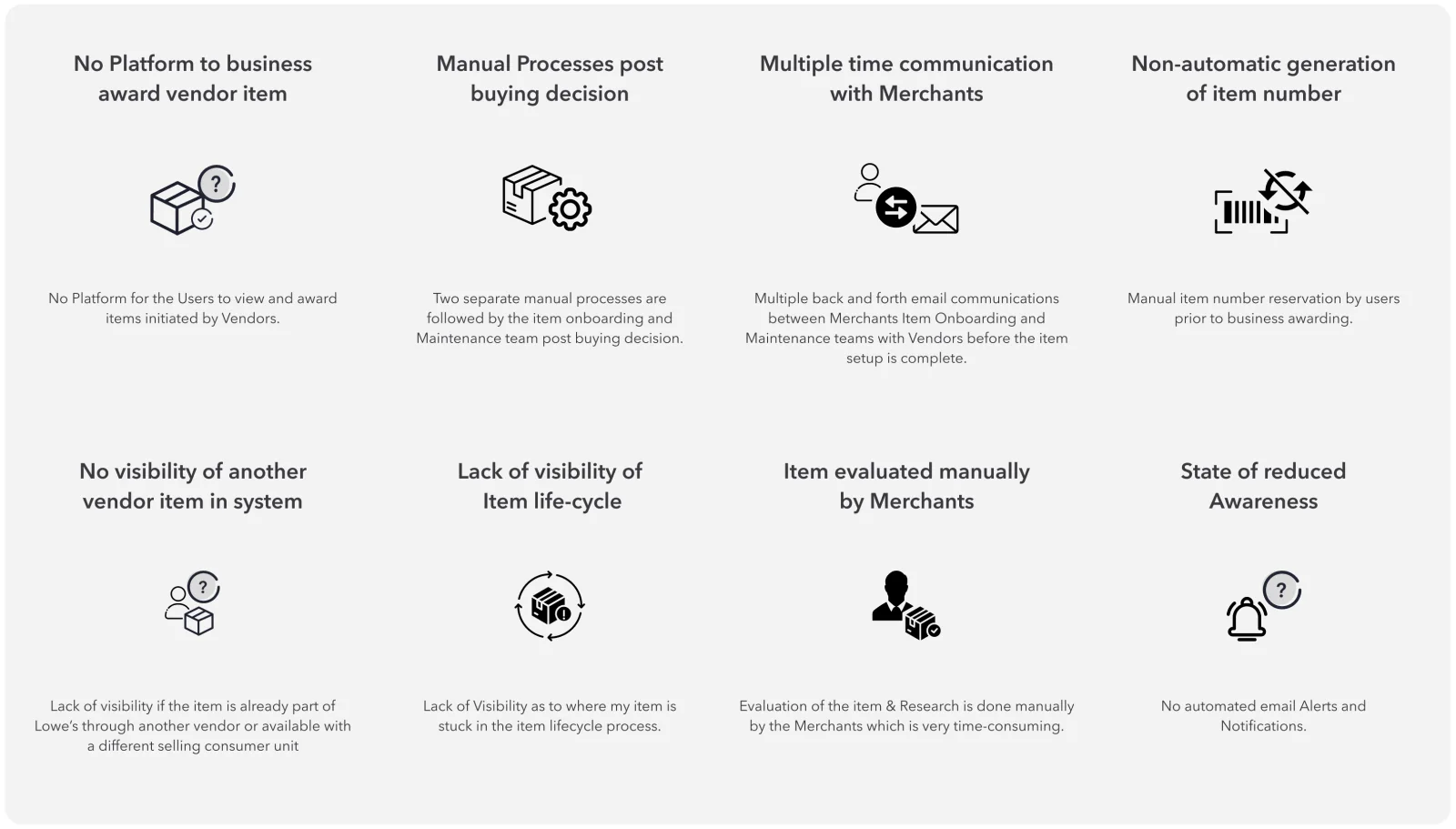
No single platform. Awarding vendor items happened over email and spreadsheets.
No lifecycle visibility. Merchants couldn’t see where an item was in setup, before or after awarding.
Manual evaluation. Quality, reviews and competitive data were collated by hand for every item.
Endless back and forth. Vendors and merchants traded emails many times per item.
UX strategy
I envisioned a future-state, fully integrated Merchant Platform that is seamless and helps merchants make quicker, better awarding decisions. The research-based design principles became the reference for every stakeholder review.
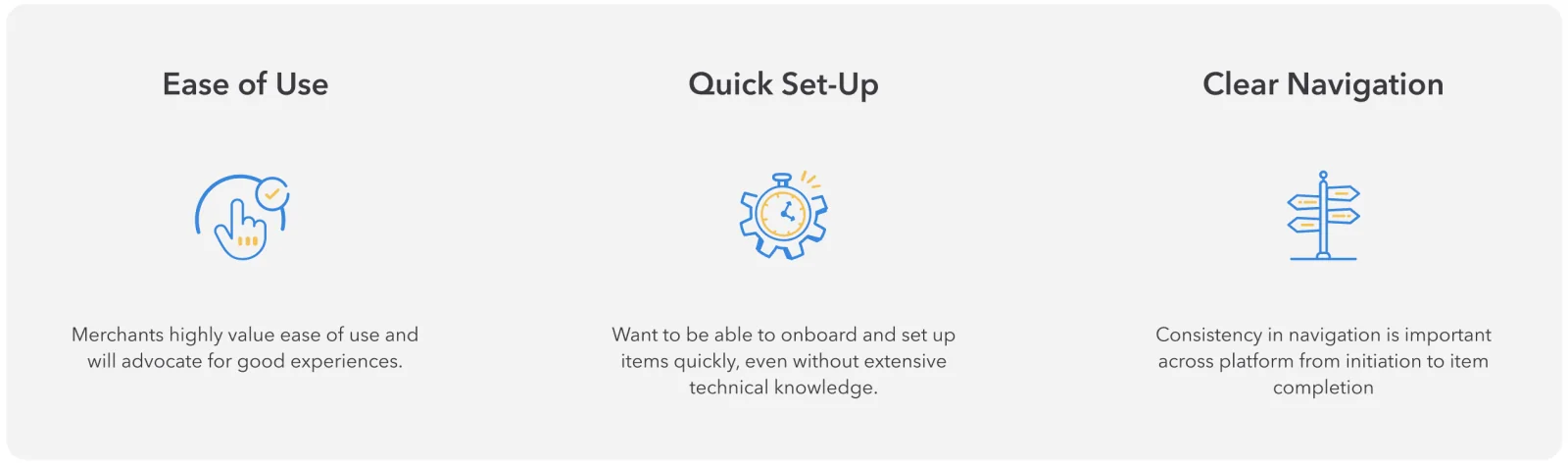
Seamless and streamlined: simple navigation and search, guided workflows end to end, and clear progress.
Measurement and insights: accessible data, a 360° view of each item, and measurement at every stage.
Self-service and efficiency: notifications users control, easy access to information, and one workflow across user groups.
The legacy experience
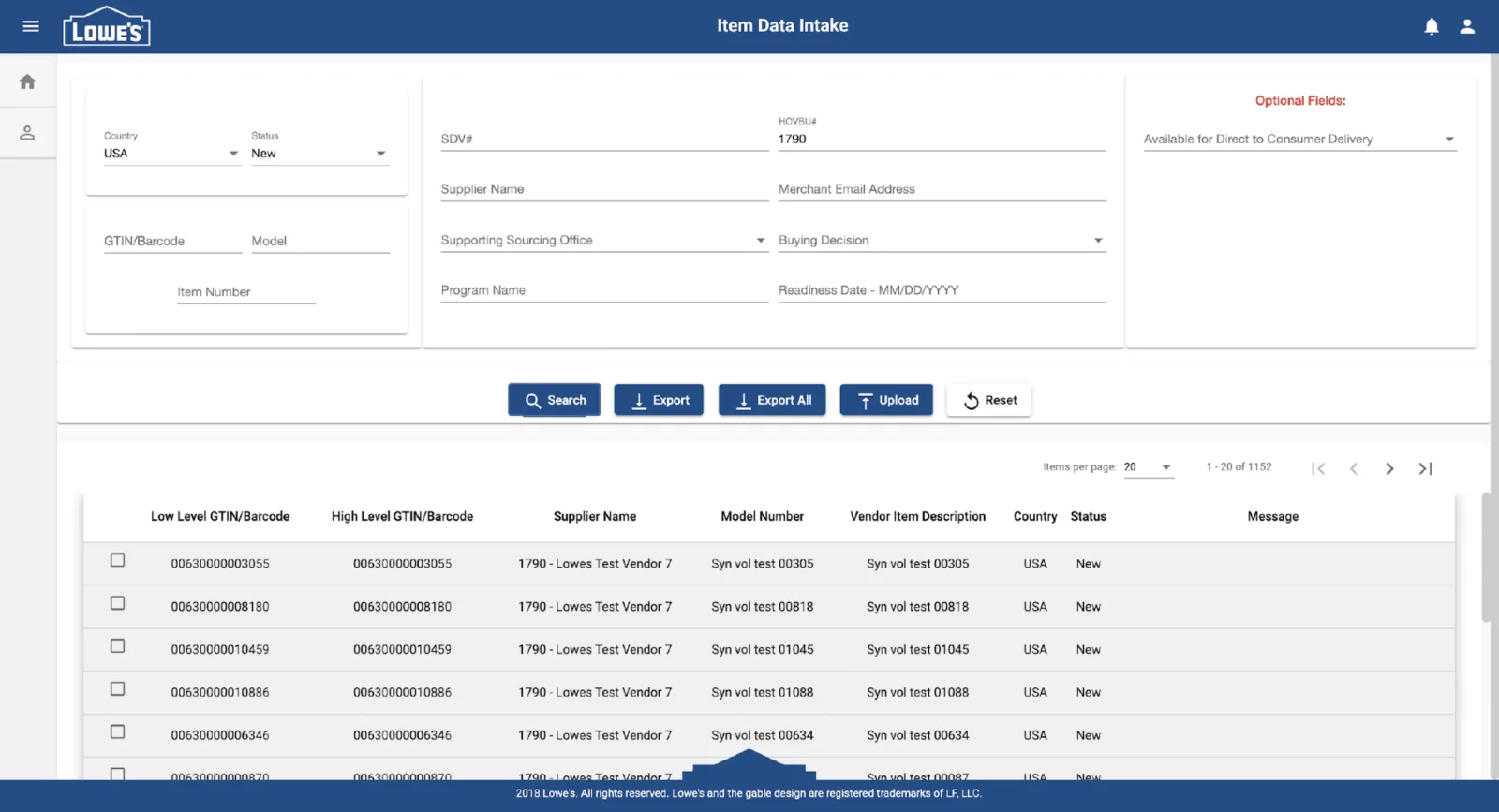
The old IDI (Item Data Intake) tool was antiquated. Rather than patch it, we took a forward-looking approach: a strong foundation that fixes today’s problems and leaves room for future features.
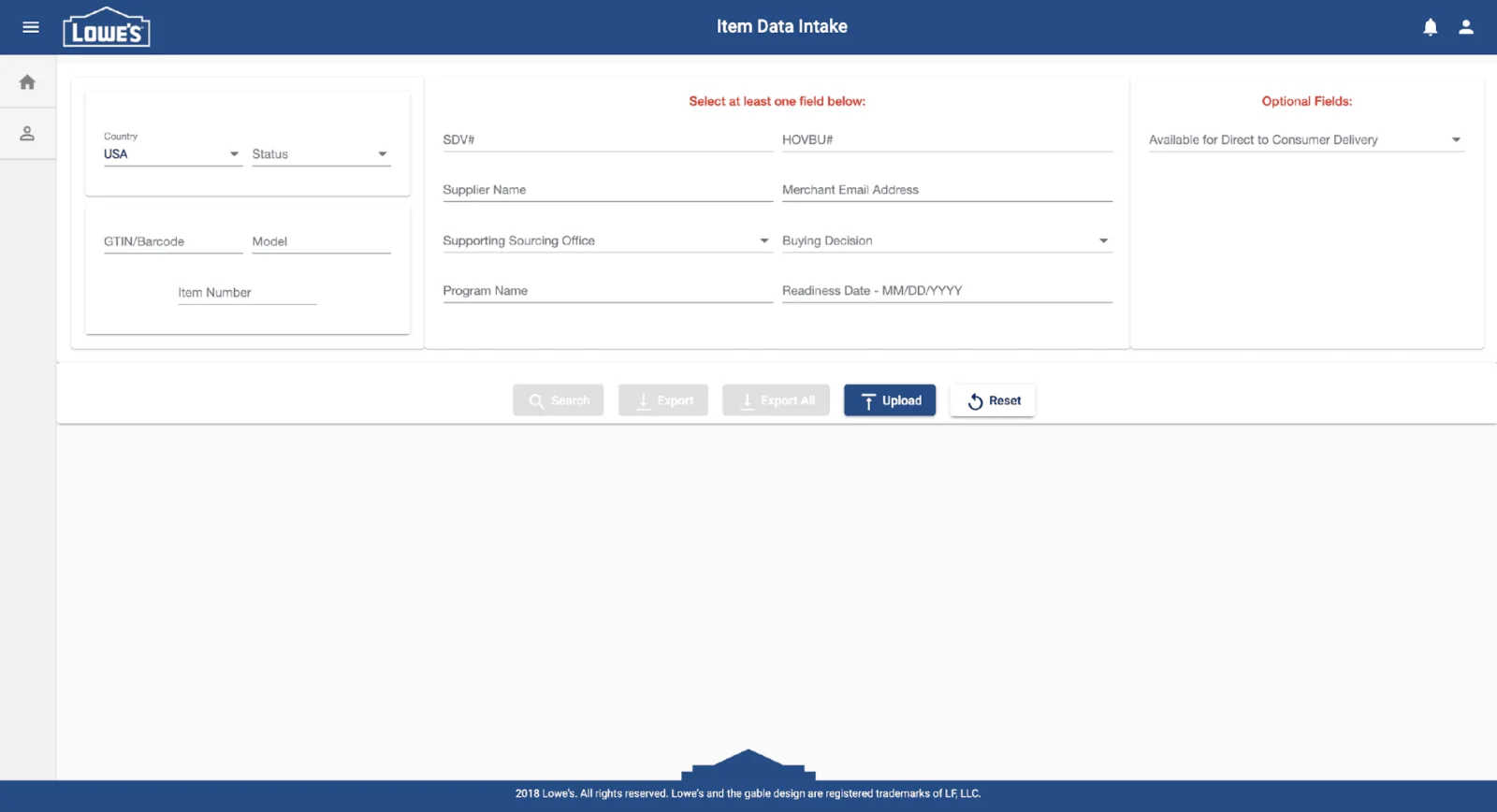
Landing: no view of vendor details or item lifecycleSearch: long forms, no cue for required fields
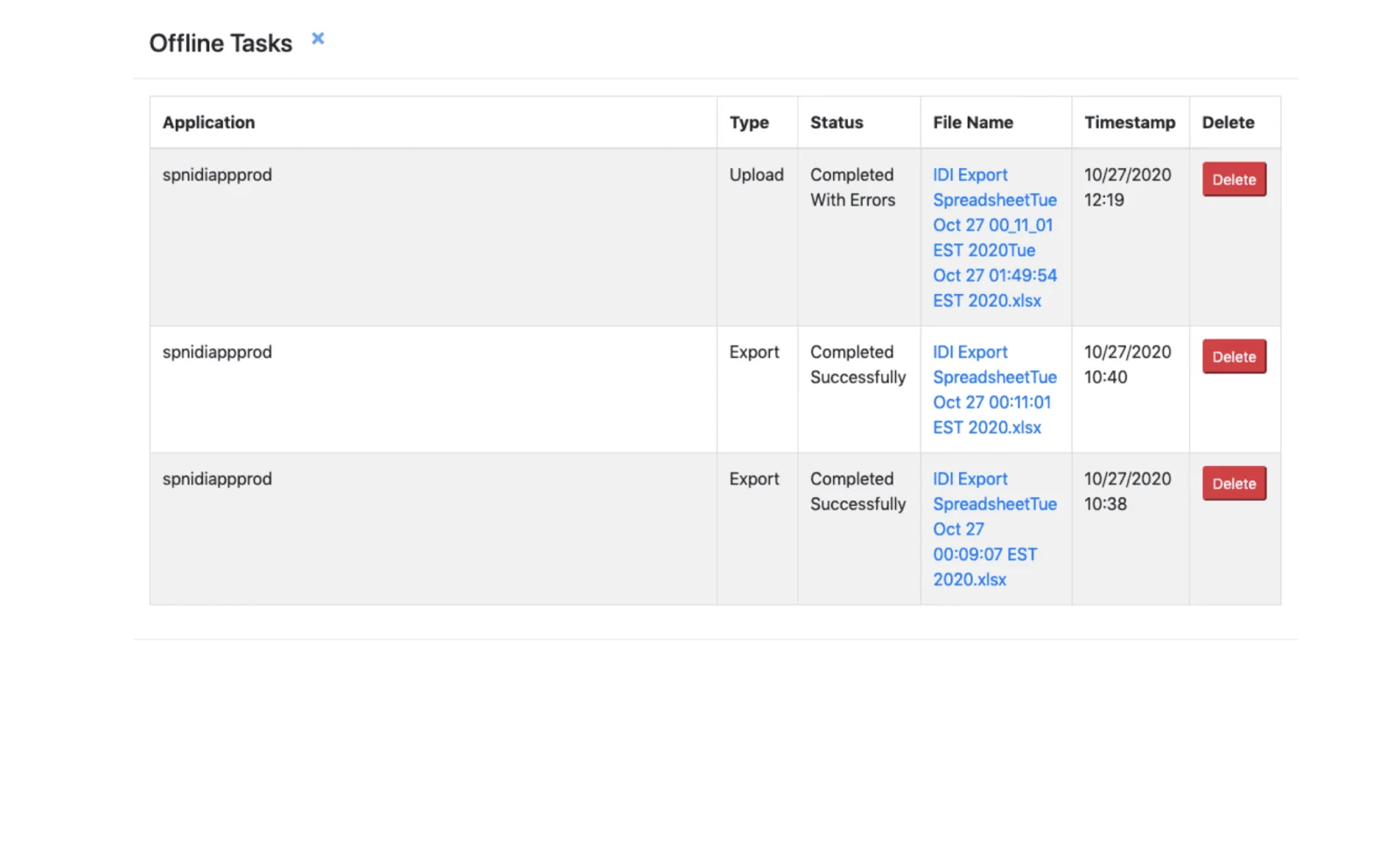
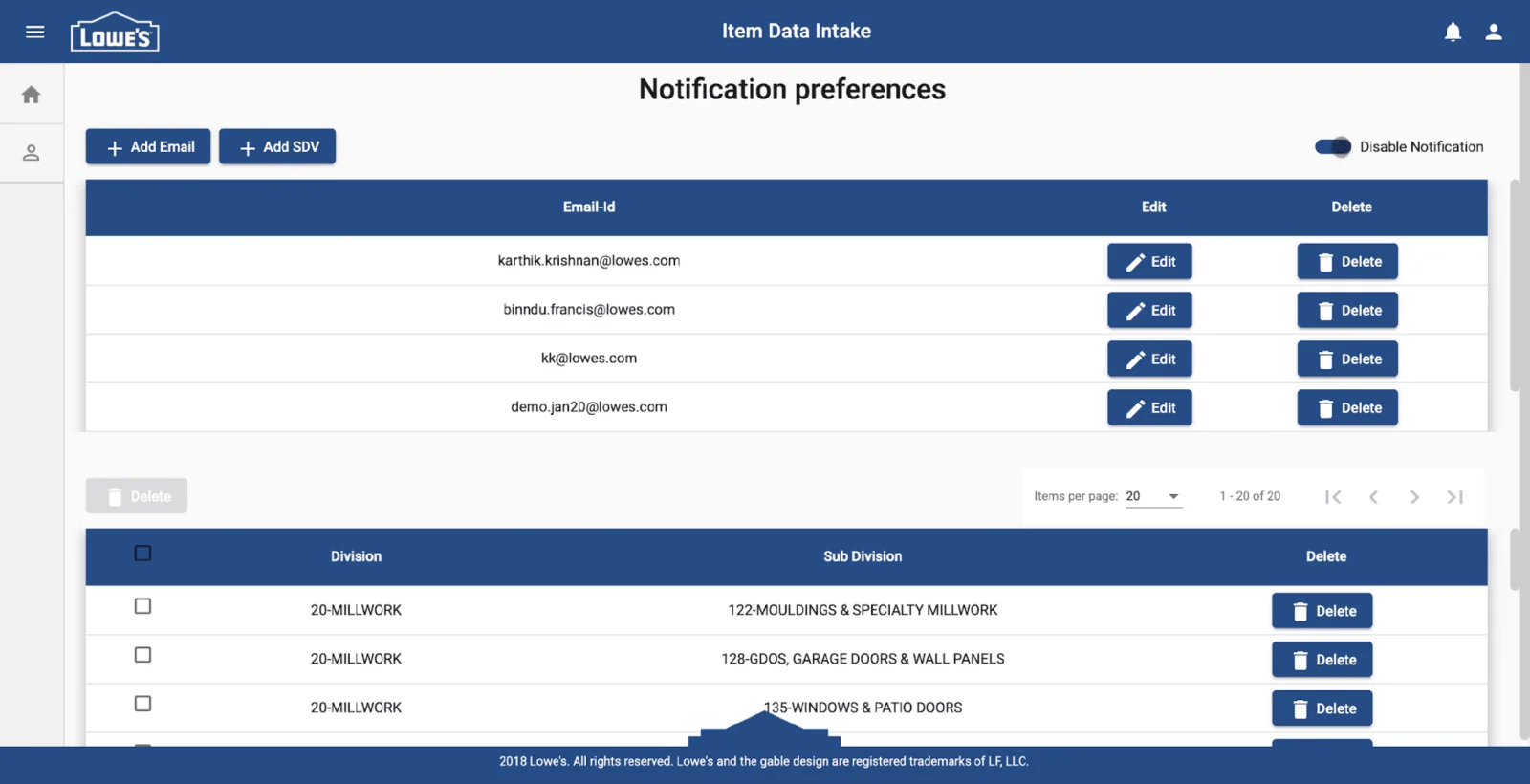
Status: hidden on another screen, no real-time alertsPreferences: one long screen, no clear grouping
Final designs
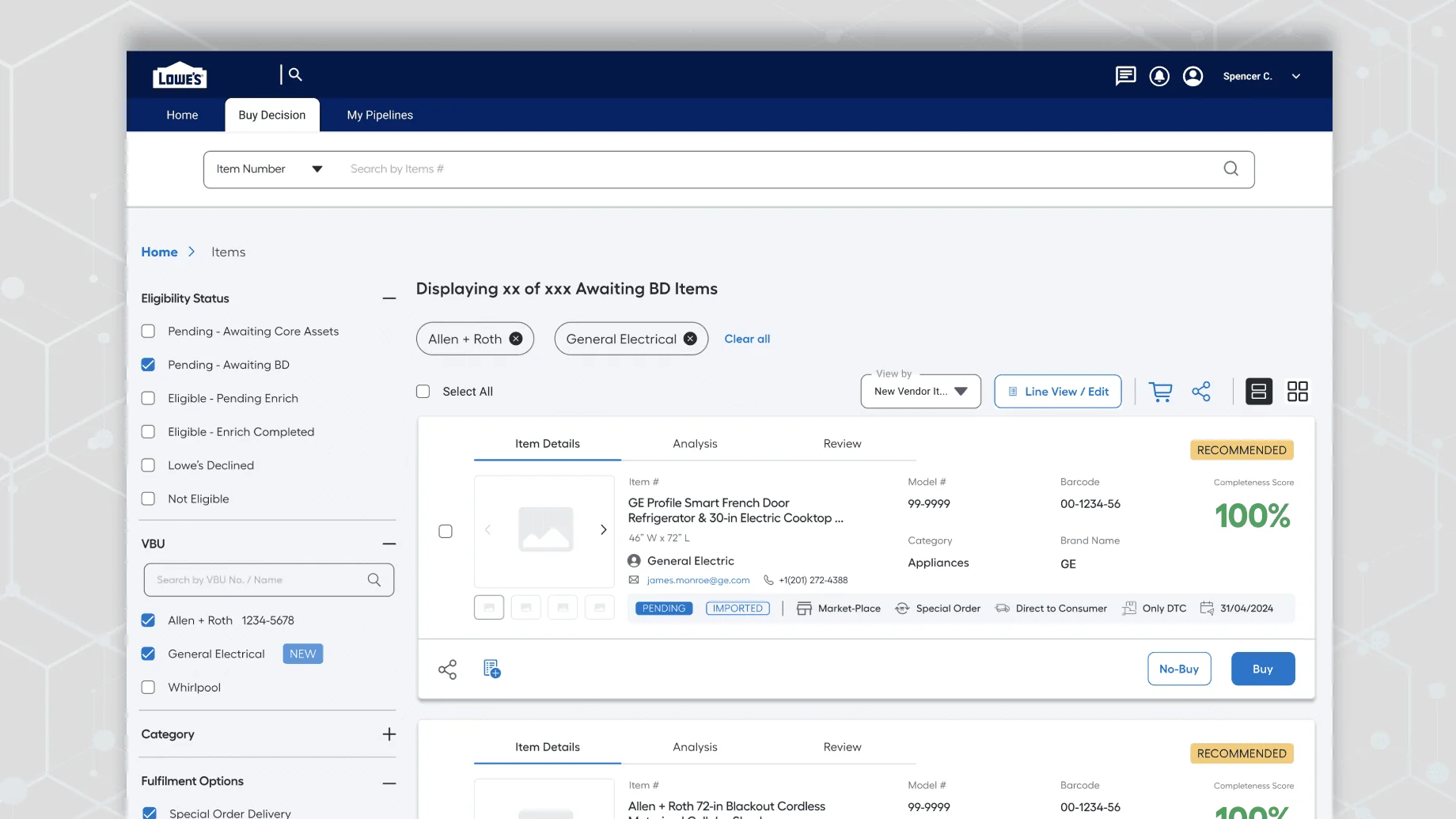
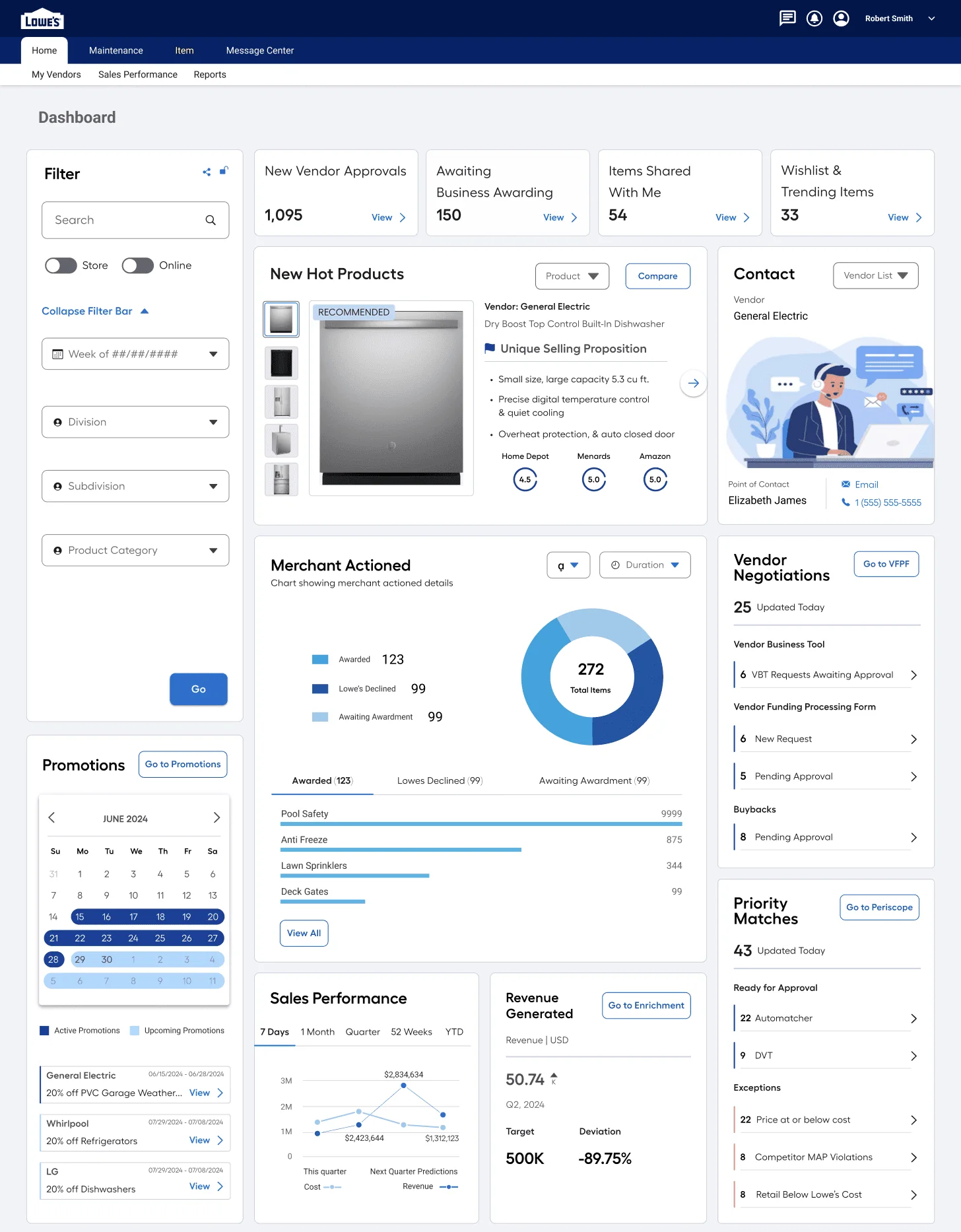
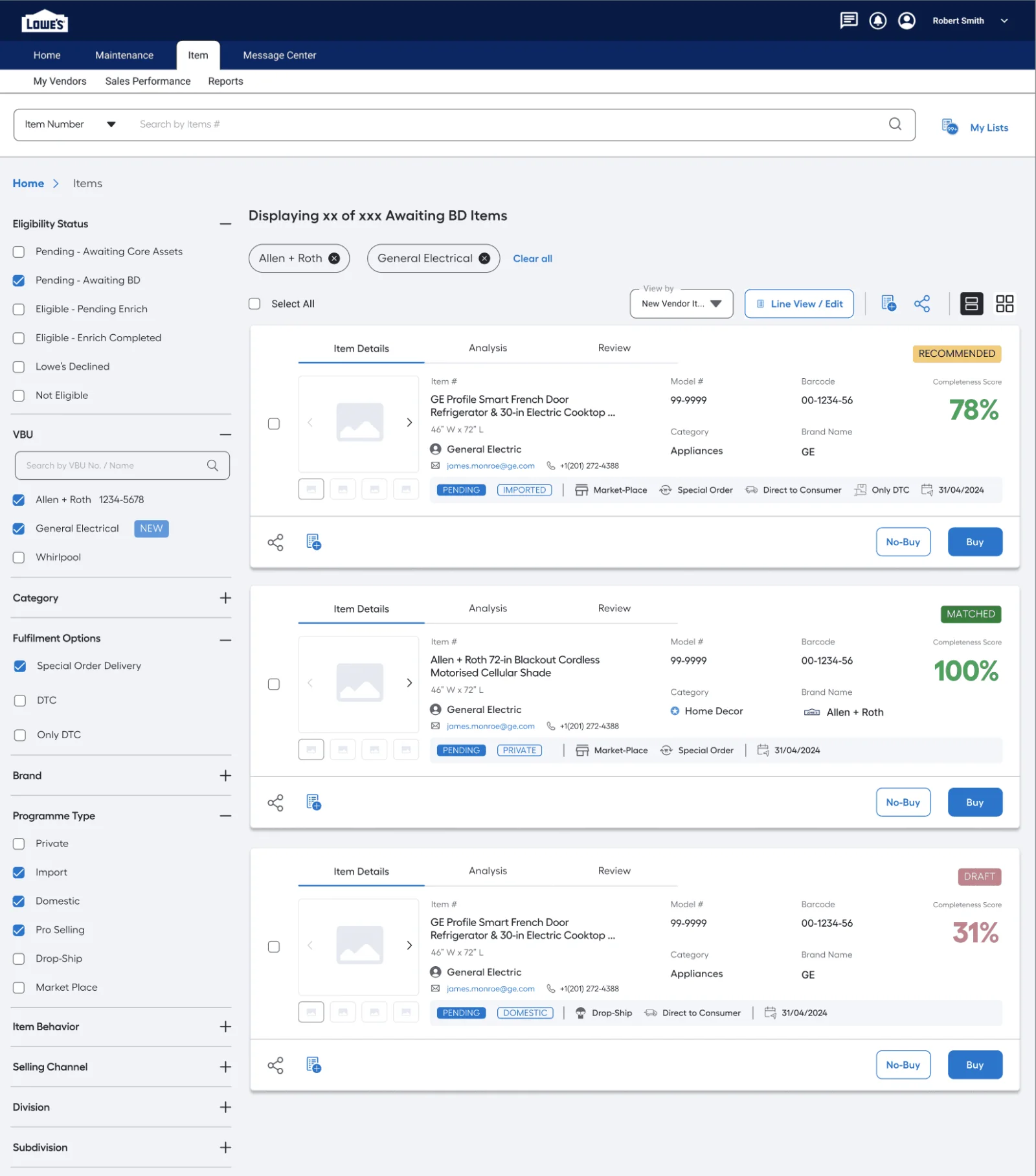
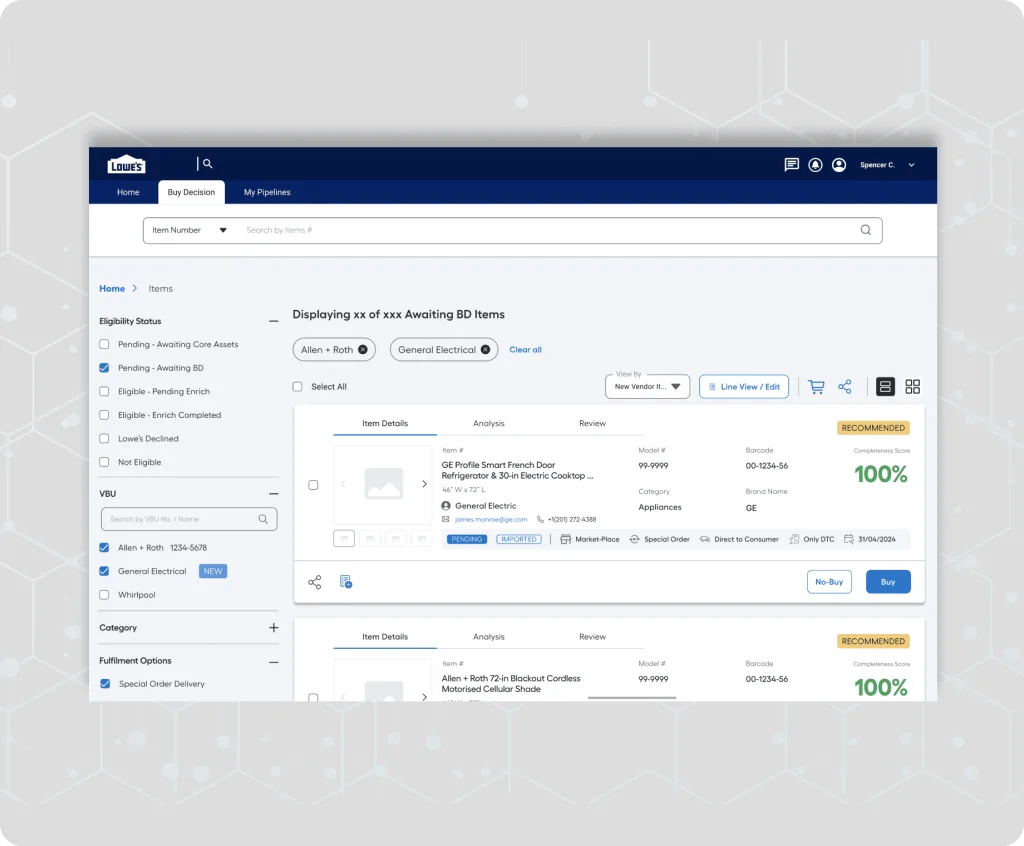
The new platform gives merchants one place to see, judge and award vendor items, with AI recommendations based on data.
Dashboard: item status at a glance, trending vendor items and revenue from awarded itemsItem listing: filters by status, lifecycle visibility and alerts on updates
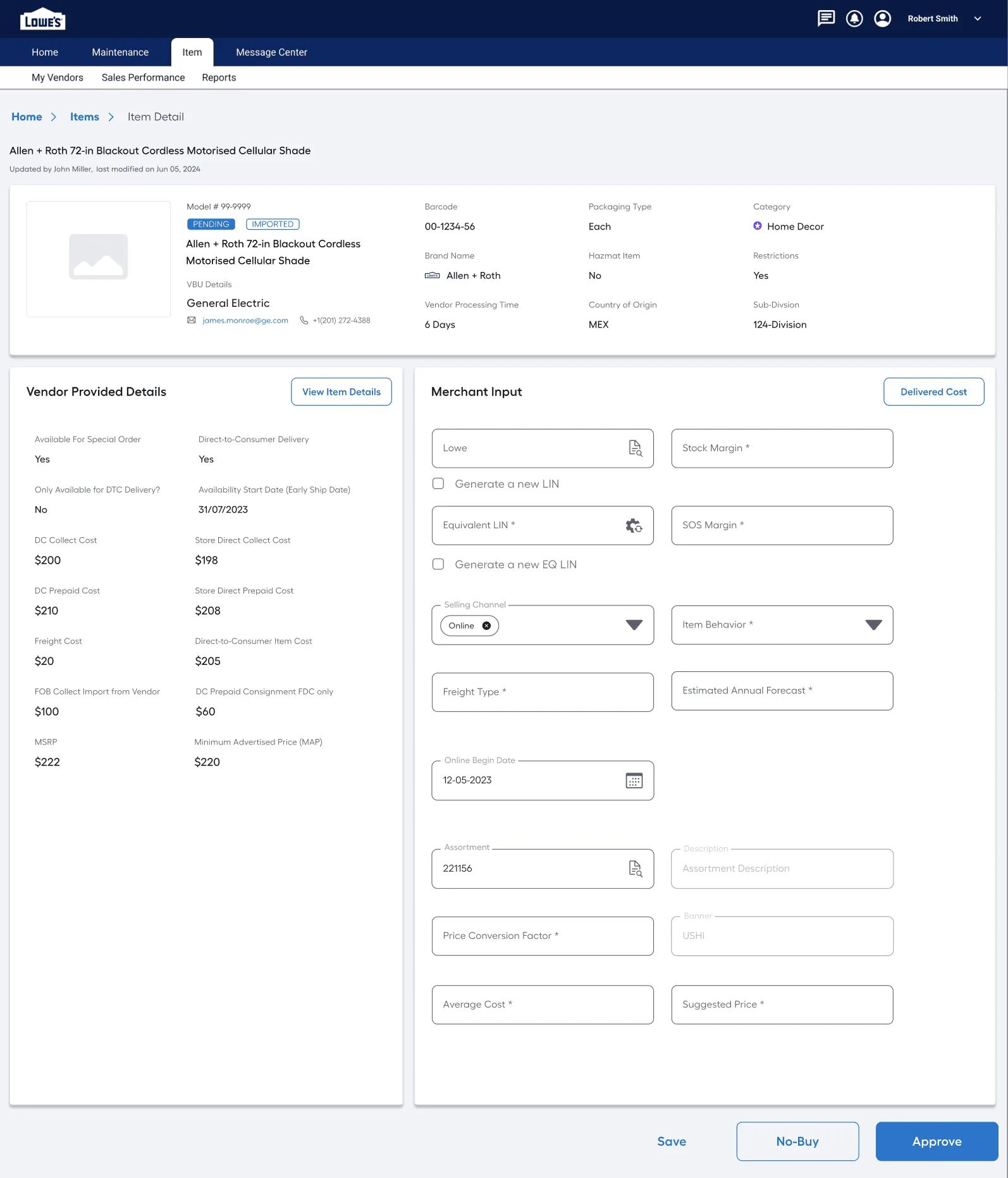
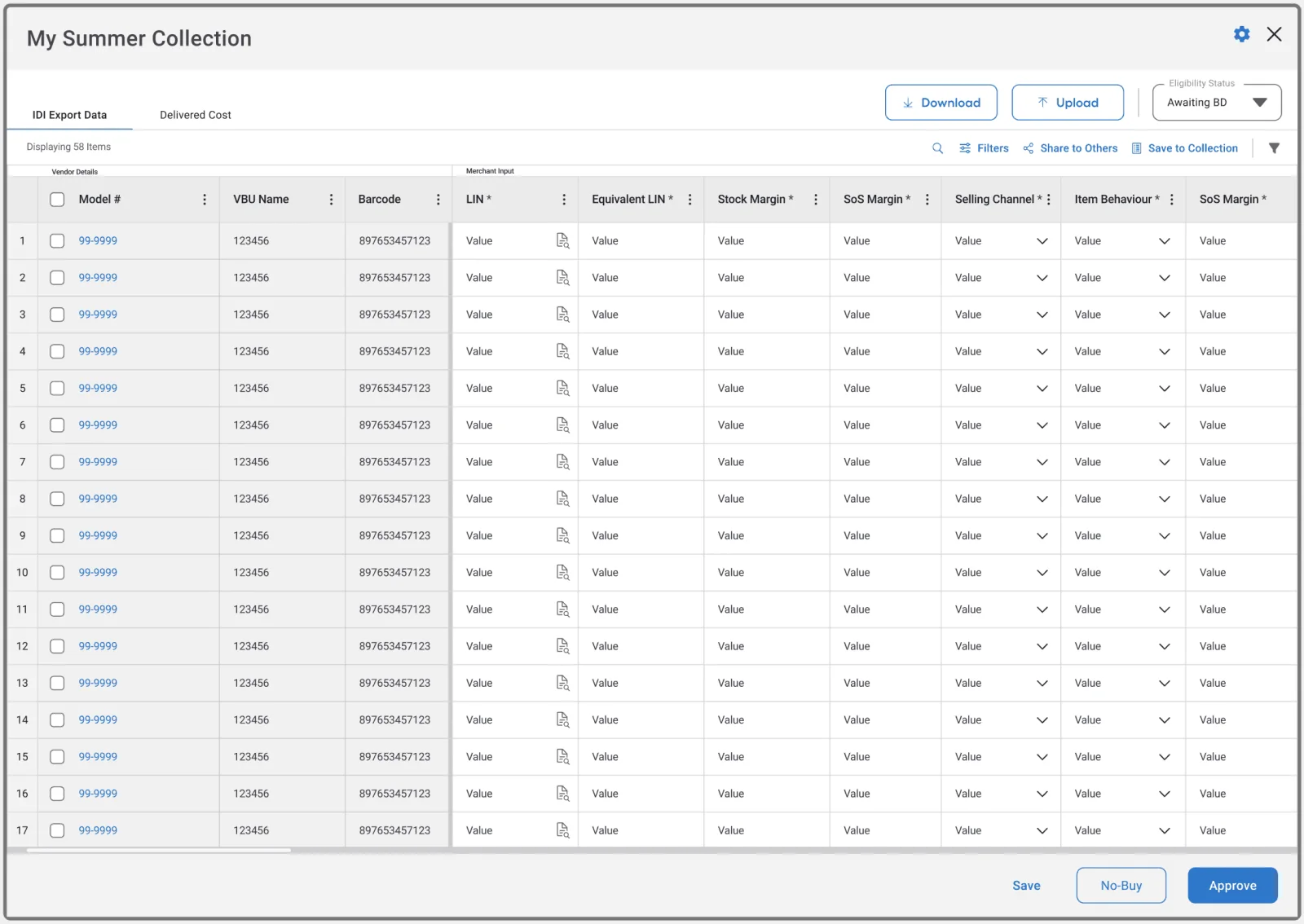
Item details: everything a merchant needs to decide, plus the vendor’s viewBulk awarding: fill buying information and approve many items at once
Impact
Item setup and onboarding got dramatically faster. Merchants now spend 90% less time on vendor negotiation and item setup.
The platform also reduces the cost, effort and risk of building, changing and maintaining the application, and makes each item’s lifecycle transparent and traceable, with a clear next step for every business decision.
What I learned
The problem is often the process around a task, not the task itself.
Designing for the future state, not only today’s pain, made later features easier to fit in.
Principles agreed early with stakeholders kept every review focused on what mattered.
Further reading
The full case study, with every screen, is on Behance.