Helping field agents fix store shelves on the spot
Overview
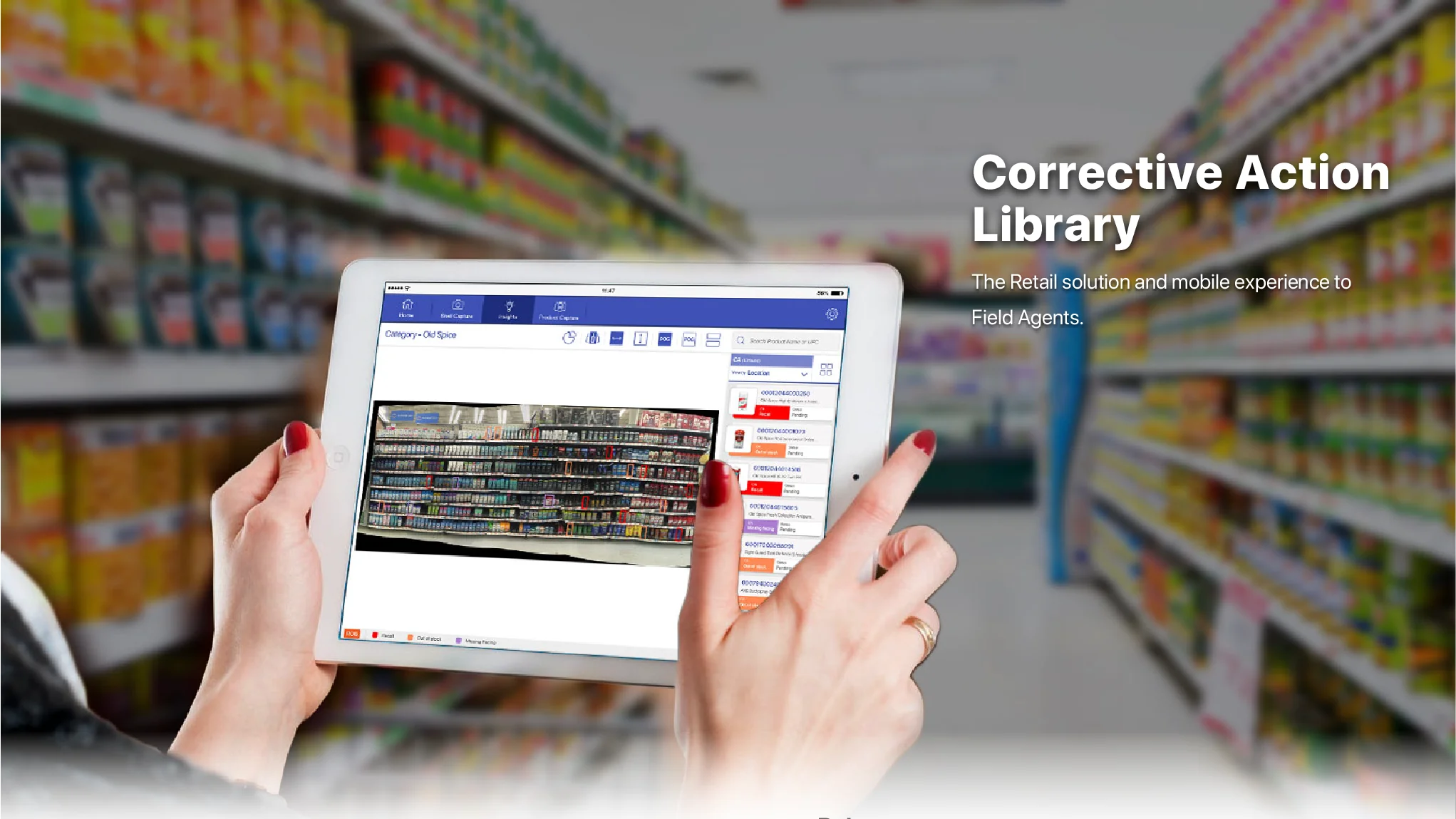
The Corrective Action Library is a retail app for field agents. It turns shelf photos into corrective actions, so reps can fix out-of-stock, missing facing and placement issues during a store visit.
My role
UX/UI designer
Tasks
Sketching, user flows, personas, hi-fi mockups
Tools
Illustrator, Adobe XD, Balsamiq
Impact overview
Issues
3 shelf issue types flagged: out of stock, missing facing and placement
Reach
4 platforms targeted: iOS, Android, BlackBerry and Windows
Devices
2 form factors designed: tablet and phone
The 30 second version.
Summary
How I designed a shelf compliance app that tells field reps what to fix.
Corrective Action Library improves accuracy and cuts the time to arrange shelves, using the sales executive’s own mobile device.
As UX/UI designer I covered research to delivery: competitor analysis, personas, the field agent workflow, wireframes and hi-fi mockups for tablet and phone.
The challenge: help reps spot what’s wrong on a shelf and fix it in less time.
The challenge
Corrective actions are the steps a field rep takes to bring store shelves and promotional material back into compliance. The rep photographs the shelf, submits the pictures, and gets corrective actions back on their phone telling them what to change.
Reps couldn’t easily identify wrong or missing products on a shelf.
They were stuck with sluggish technology that let them down in stores.
They had no authority or visibility over retail execution standards.
The goal: help reps spot what’s wrong and fix it in less time, on the devices they already carry.
Research
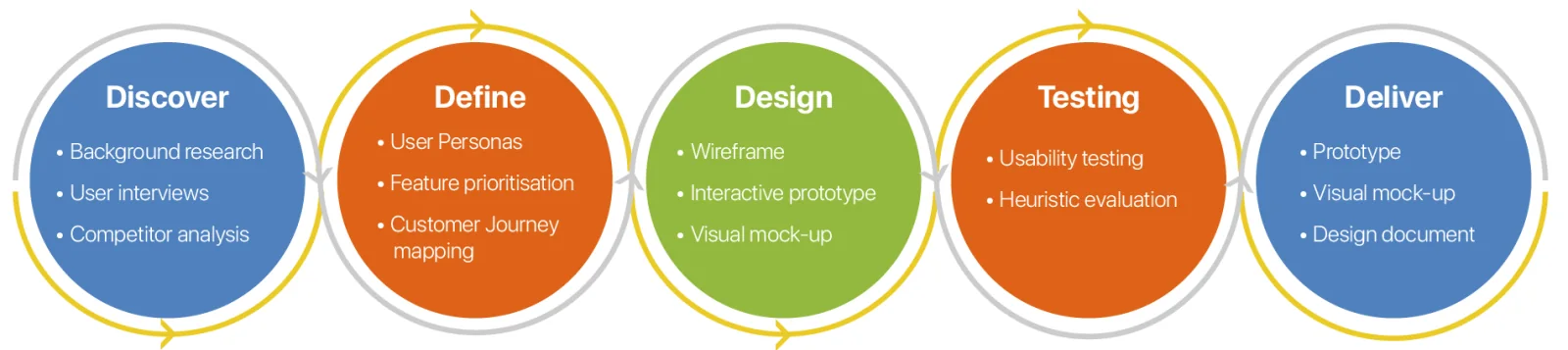
I followed five stages: discover, define, design, test and deliver. To learn from competitors I studied Zaptic and Rizepoint, the apps closest to what I wanted to build, against four usability heuristics: consistency and standards, recognition rather than recall, flexibility and efficiency of use, and aesthetic and minimalist design.
Personas
Who it’s for
Two people, two very different days.
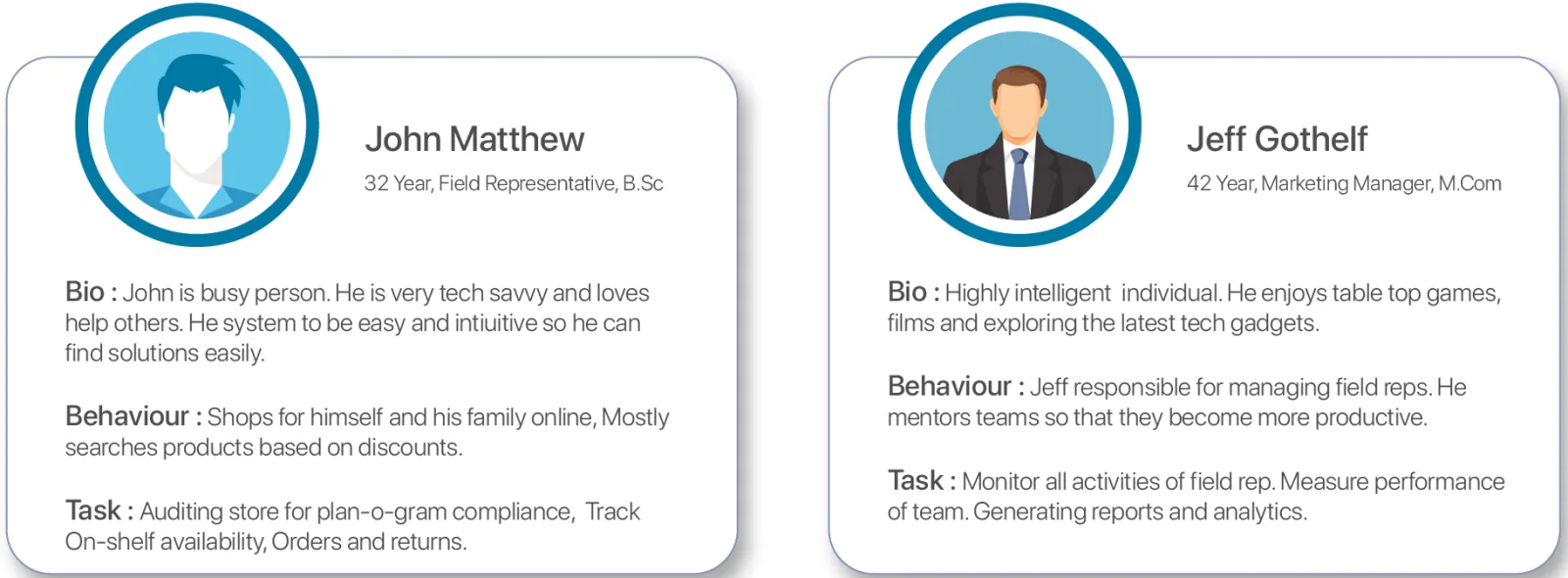
John, 32, field representative. Audits stores for planogram compliance and tracks on-shelf availability, orders and returns. Wants a system that’s easy and intuitive.
Jeff, 42, marketing manager. Manages and mentors field reps, measures team performance and generates reports.
Workflow and wireframes
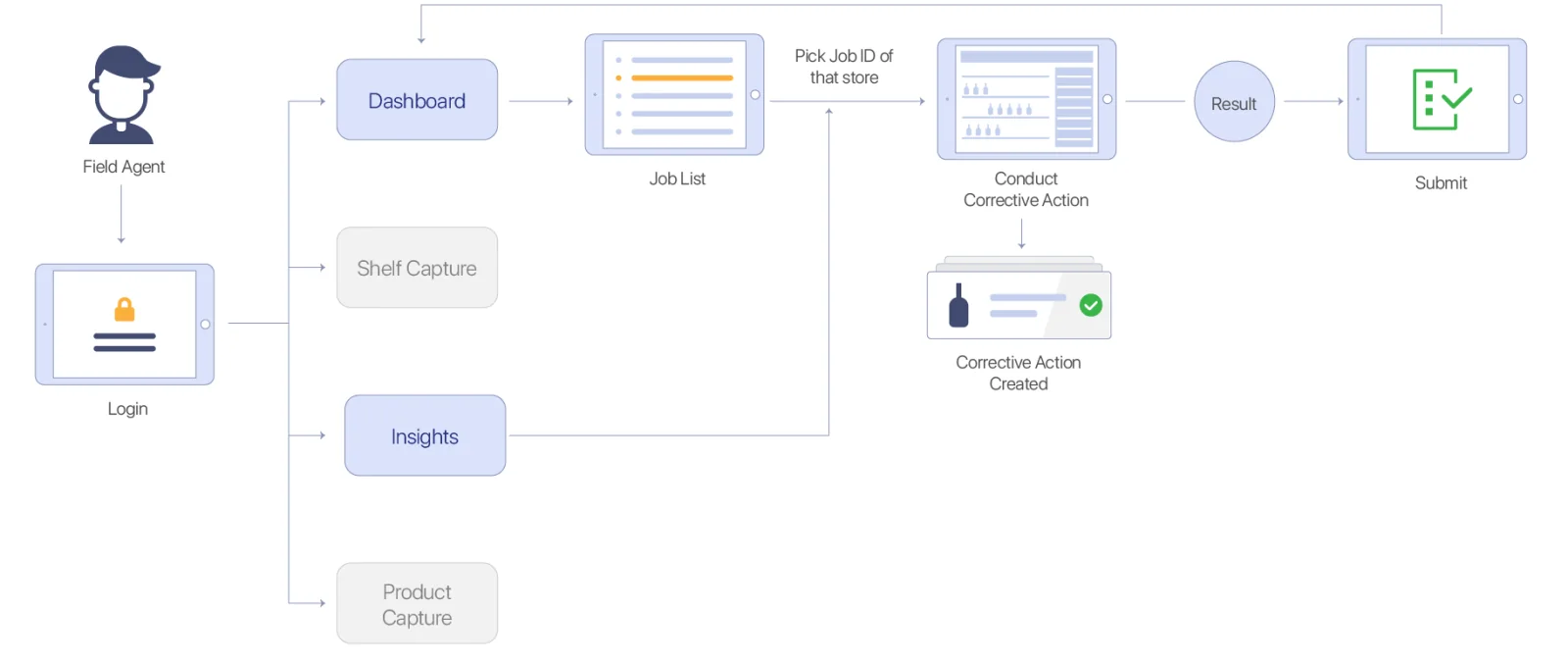
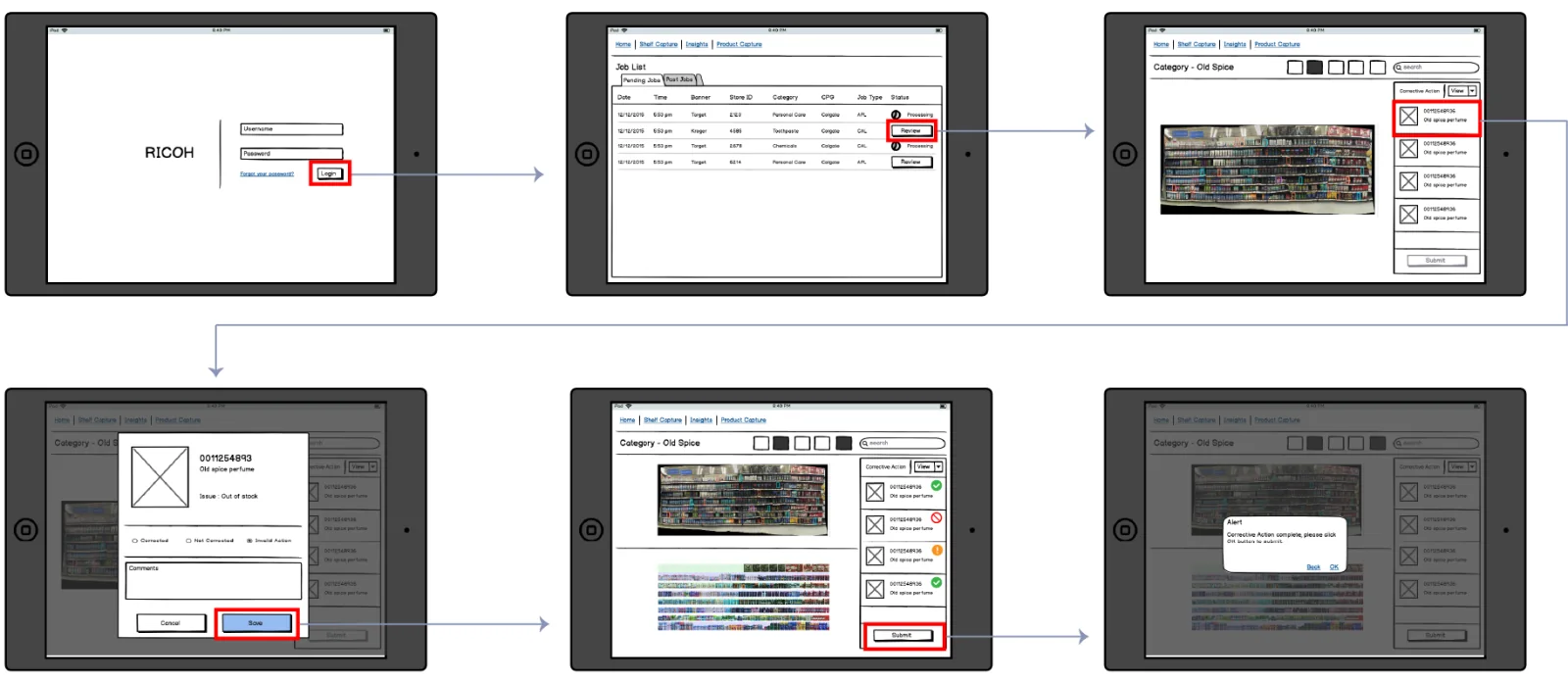
A field agent logs in, opens the dashboard, picks a job for a store, conducts the corrective action and submits the result. Shelf capture, insights and product capture sit alongside the main flow.
Field agent workflow
Wireframes of the core flow
Final designs
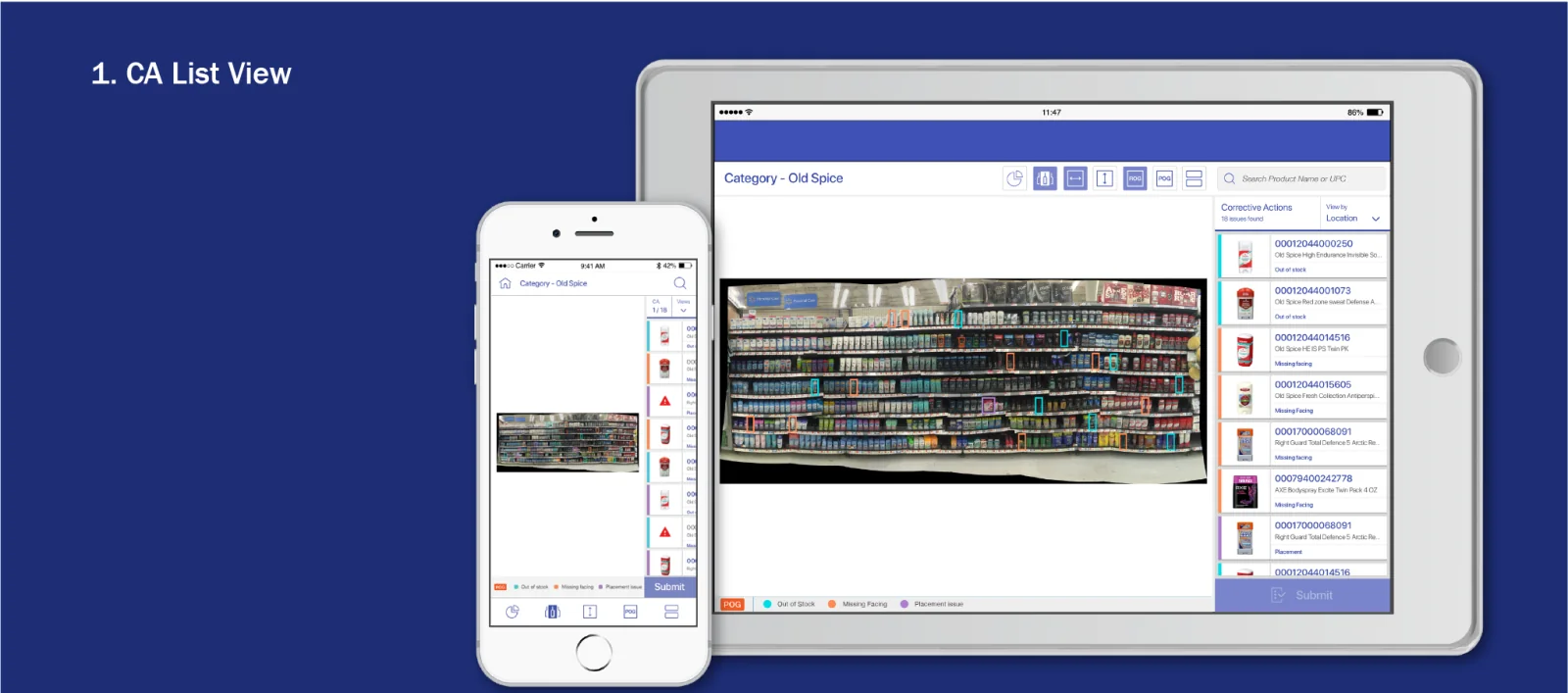
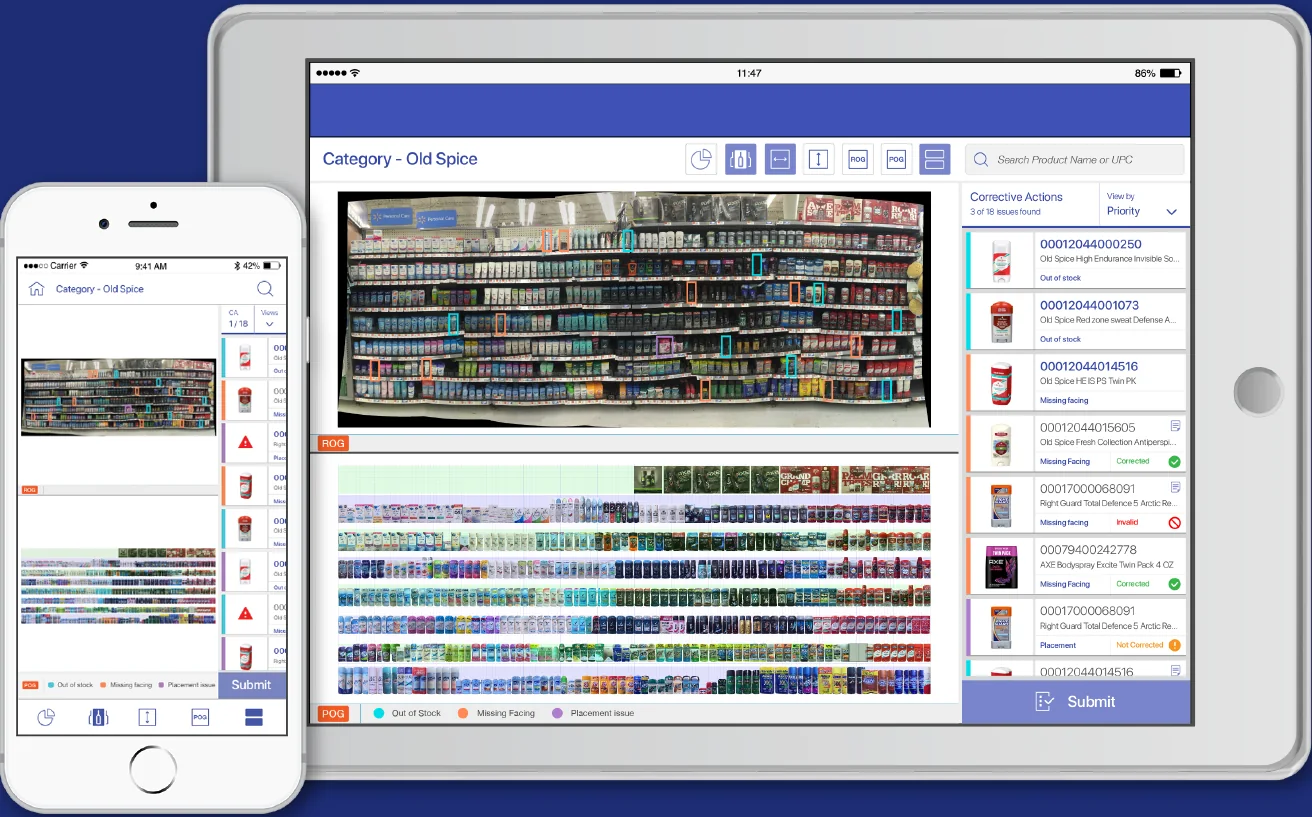
Agents plan and act on issues during a visit, validate product availability, set store reminders and track corrective action plans to completion. Each issue is colour coded: out of stock, missing facing or placement. Share of shelf is visible for their own brand and competitors.
CA list view
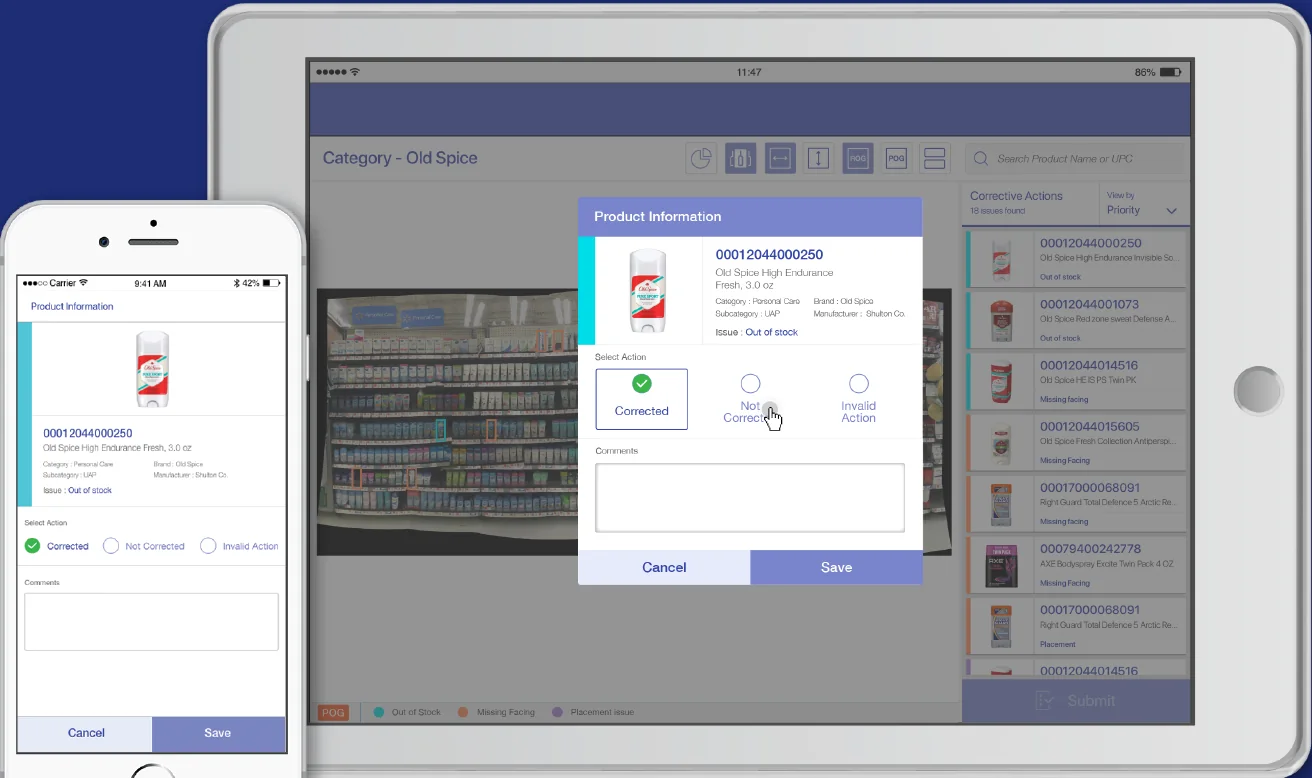
CA creation: mark each action corrected, not corrected or invalidROG and POG view: the real shelf against the planogram
Working prototype
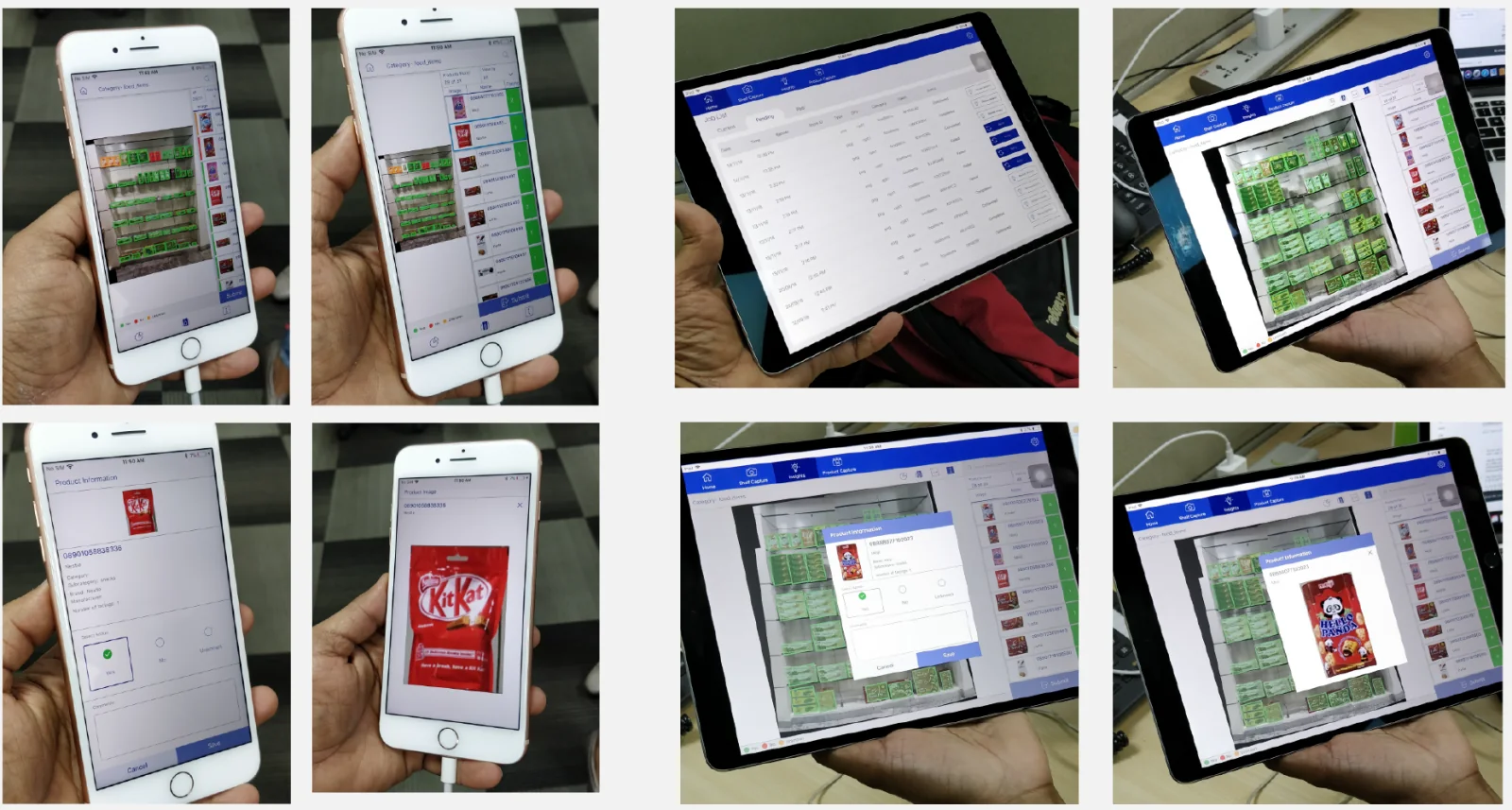
The working prototype ran on real phones and tablets, and went through usability testing and heuristic evaluation before delivery.
The prototype on real devices
What I learned
Seeing the process through a user-centred lens taught me to design around each user’s motivations.
Pushing my visual and UI skills made the app easier and more engaging to use.